 Petal Home
Home / Blog / Grandparents, Nannies and Childminders: What They Need to See, and What Stays Private
Grandparents, Nannies and Childminders: What They Need to See, and What Stays Private

Half term and fall break are when grandparents, nannies, sitters and childminders step in for a few days. They need to know a lot quickly: pickups, meals, bedtimes, who's allowed to collect, and where the spare key is. What they don't need is access to everything else in your family's life. A good handover gives them what they need for the days ahead, without opening up the rest of your family life.
The quick answer
- Write the handover once: routines, pickups, meals, contacts and house details
- Share the days ahead, not your whole life: the plans and lists they'll actually use
- Keep private things private, and check what "shared" really means before you invite anyone
- Tidy up afterwards if their access was only for a few days
The carer handover checklist
Whether it's Grandma for a week or a sitter for an evening, the same few things come up every time. Write them down once, and you can reuse them:
- The days ahead: school or club times, pickups, and anything unusual this week
- Who can collect: the people allowed to pick the children up, and any collection password or pickup code the school uses
- Routines: wake-up, meals, screen rules and bedtime, and what usually helps when things wobble
- Health: any medicines, the exact dose and timing, where they're kept, any allergies or foods to avoid, and what to do in an emergency, following the label and any advice or action plan from your doctor, pharmacist or specialist
- Contacts: every parent or guardian, a nearby backup, the school, the family doctor, and who to call in an emergency
- The house: wifi, alarm or door codes, where the spare key is, and bin day. Only share the house-access details they actually need for the days they're helping
Decide what they need to see
Before you invite anyone into a shared family app, it's worth being clear on what they'll see there. In Petal Home, anyone who joins your household as an adult can see everything shared with the household, and edit most of it: household plans on the calendar (except plans synced from someone's own calendar, which only the person who connected it can change), household lists and reminders, and household info. Anything marked private stays private to the person who created it. That includes your private calendar, private lists and private reminders, and it applies to everyone, household admins included.
If you'd rather a carer saw only some areas, Petal Home's limited-access role is called "Child". An admin can add them with that role and choose what they can see or edit, area by area: hidden, view only, or able to edit. An admin can change a member's role later, too. For a single list, you can also limit who sees it to chosen people, like just the adults and the nanny. All of this is free.
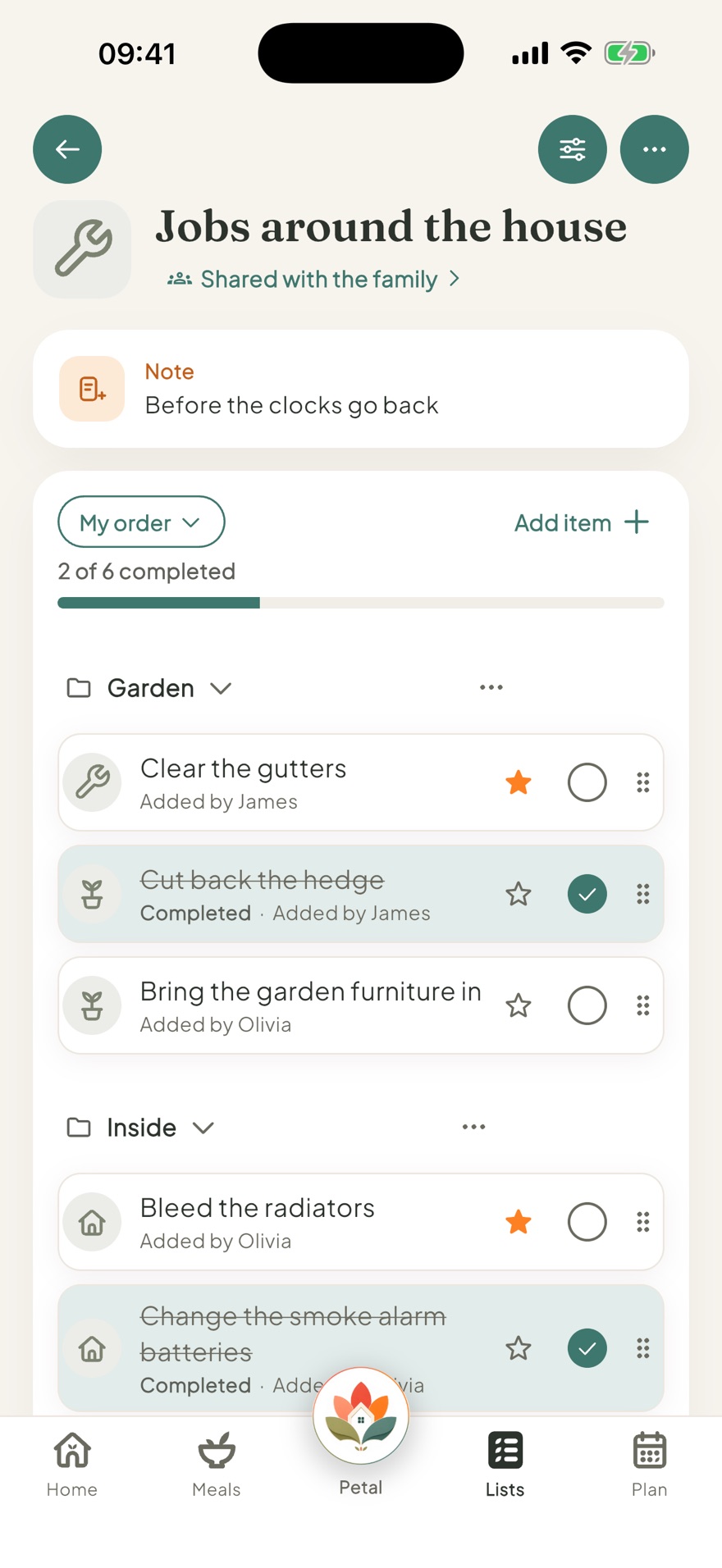
Give them the days ahead in one place
The most useful thing a carer can have is the next few days, clearly laid out. Put pickups, clubs and anything out of the ordinary on the family calendar, each with a note for the details, like which door or which coach. In Petal Home, household info keeps things like the wifi password, door codes and bin day in one place, and each entry can be private or shared with the household. A household reminder can be assigned to the carer for the jobs that matter on a particular day, so the nudge goes to their phone.
Tidy up afterwards
If someone only needed access for a few days, take a minute to tidy up when they've gone home. Change any door or alarm codes you'd rather not stay shared, and check whether they still need to be in the household. In Petal Home, a household admin can remove someone from the family (another admin would need to step down first). Their private items stay theirs, and any lists and countdowns they created pass to the admin.
Keep your handover checklist somewhere you can reuse it. The next time someone steps in, you'll only need to update the days ahead, not start from scratch.
Frequently asked questions
What should I leave for a grandparent or nanny looking after the kids?
The days ahead with pickup times, who's allowed to collect, routines for meals and bedtime, any medicines with exact dose and timing, allergies, emergency contacts, and only the house details they need, like wifi and door codes. Writing it down once means you can reuse it next time.
What can another adult see in Petal Home?
An adult member of your household can see everything shared with the household, and edit most of it, like household plans, lists, reminders and household info. Plans synced from someone's own calendar can only be changed by the person who connected it. Anything marked private stays private to the person who created it, and that applies to everyone, admins included.
Can I limit what a carer sees?
Yes. Petal Home's limited-access role is called "Child". An admin can add a member with that role and choose what they can see or edit, area by area, and can change it later. Any single list can also be limited to chosen people. This is free.
How do I remove someone after they've finished helping?
A household admin can remove them from the family (another admin would need to step down first). Their private items stay theirs, and any lists and countdowns they created pass to the admin.
One calm place for the whole family
Petal Home is being built to help families keep meals, lists, calendars and reminders in one calm shared space. If that sounds useful for your household, you can join the waitlist and we'll let you know when it launches.
Join the waitlist