 Petal Home



Home / Shared family calendar
Shared calendar
A shared family calendar the whole home can read
One shared calendar the whole household can see and add to, that syncs automatically in both directions with Google, Outlook and Apple Calendar. Birthdays, appointments and the school run, all in one calm place, colour-coded by who added them.
Join the waitlist Coming soon to iPhone and Android. One price per household.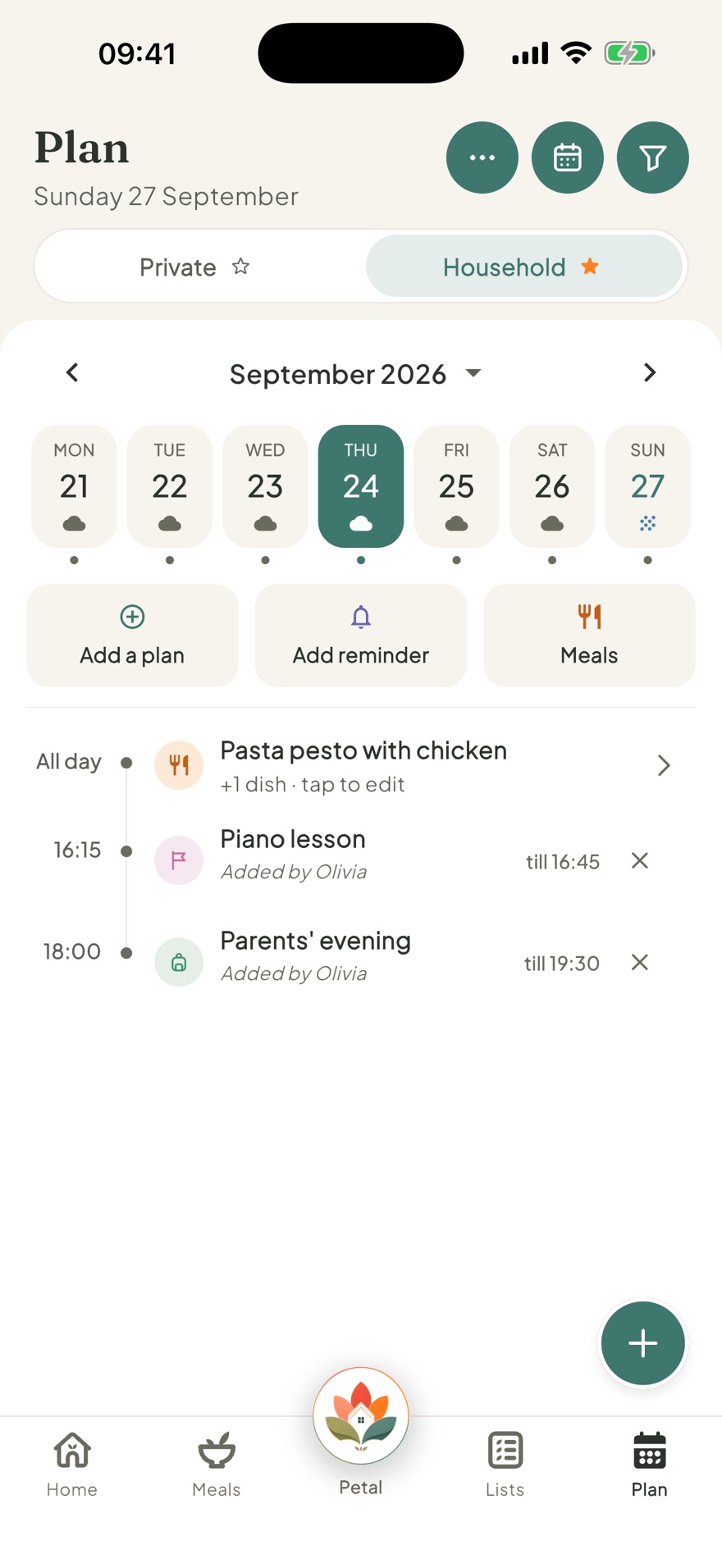
One plan the whole household reads
When everyone keeps their own calendar, things slip through the gaps. A double-booked evening, a forgotten dentist, a school inset day nobody flagged. A shared family calendar puts everyone on the same page, so the plan lives in one place instead of scattered across heads, notes and group chats.
One calendar everyone shares
Add an event once and the whole household sees it. No more copying dates between phones or wondering whether someone remembered. Every event takes the colour of the person who added it, so a glance tells you whose day is filling up.
- Everyone can view and add
- Colour-coded by who added it, so you can see at a glance
- Birthdays, appointments, clubs and the school run
- Keep some things private when they are just for you
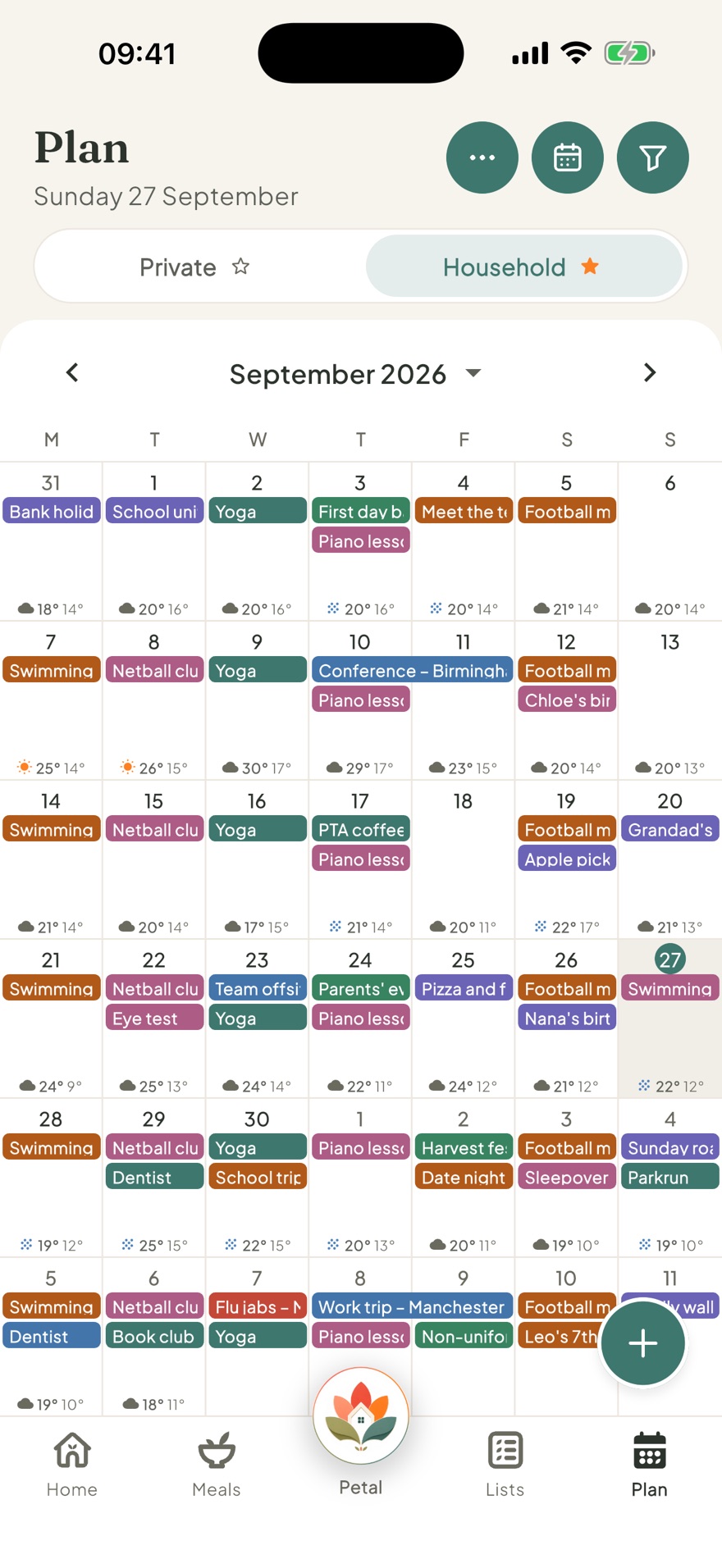
Day, week and month at a glance
Swipe between views to zoom in on today or step back and see the whole month. However your family thinks about time, the calendar keeps up.
- Clear day, week and month views
- Filter by calendar when you want to focus on just one
- See a busy week before it arrives
- Spot the free days, and the clashes
It sits alongside the rest of family life
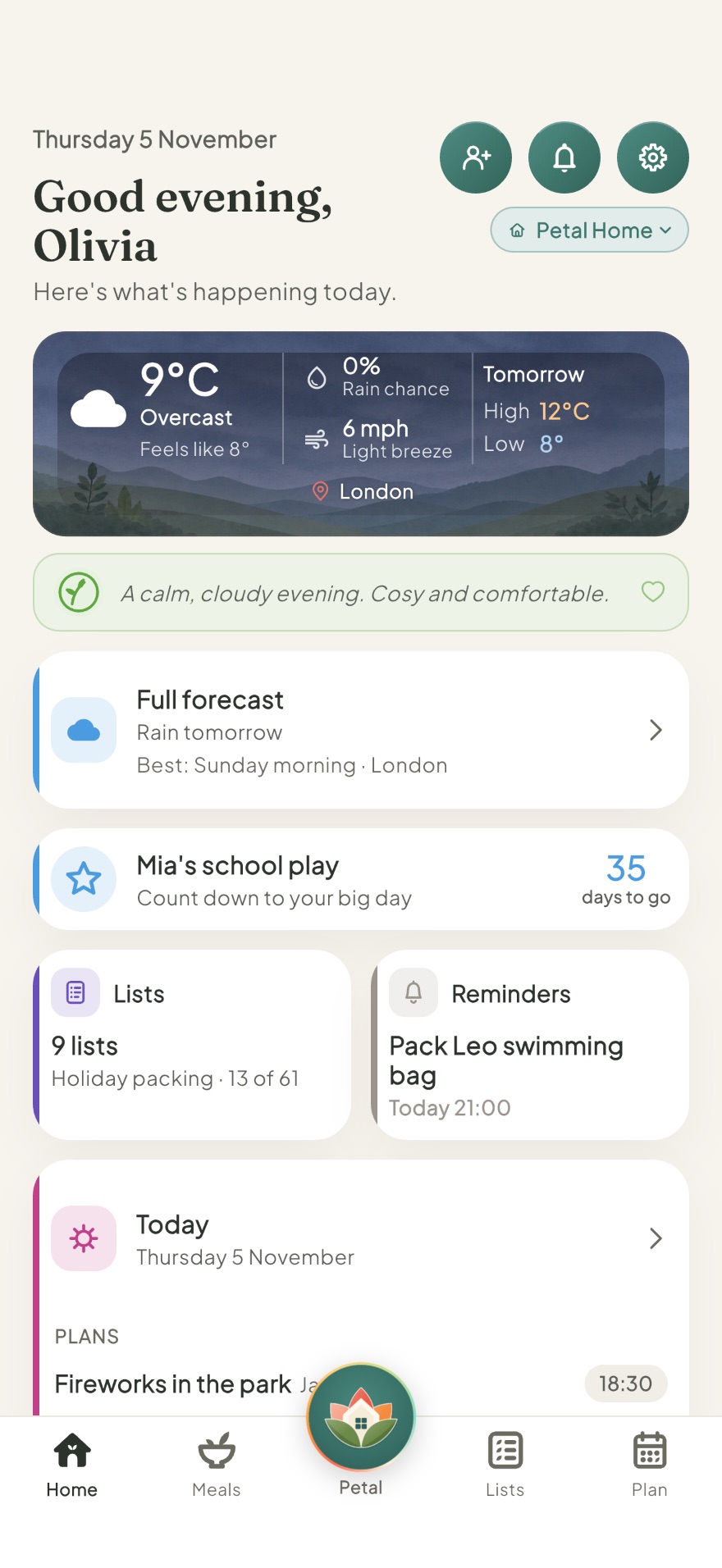
The calendar lives next to your meals, lists and reminders, so a recipe or a chore can land straight on a day. It is one calm home for how your household actually runs.
- Drop meals and reminders onto a date
- Parents stay in control of what children see
- Private by design: no adverts, no ad tracking
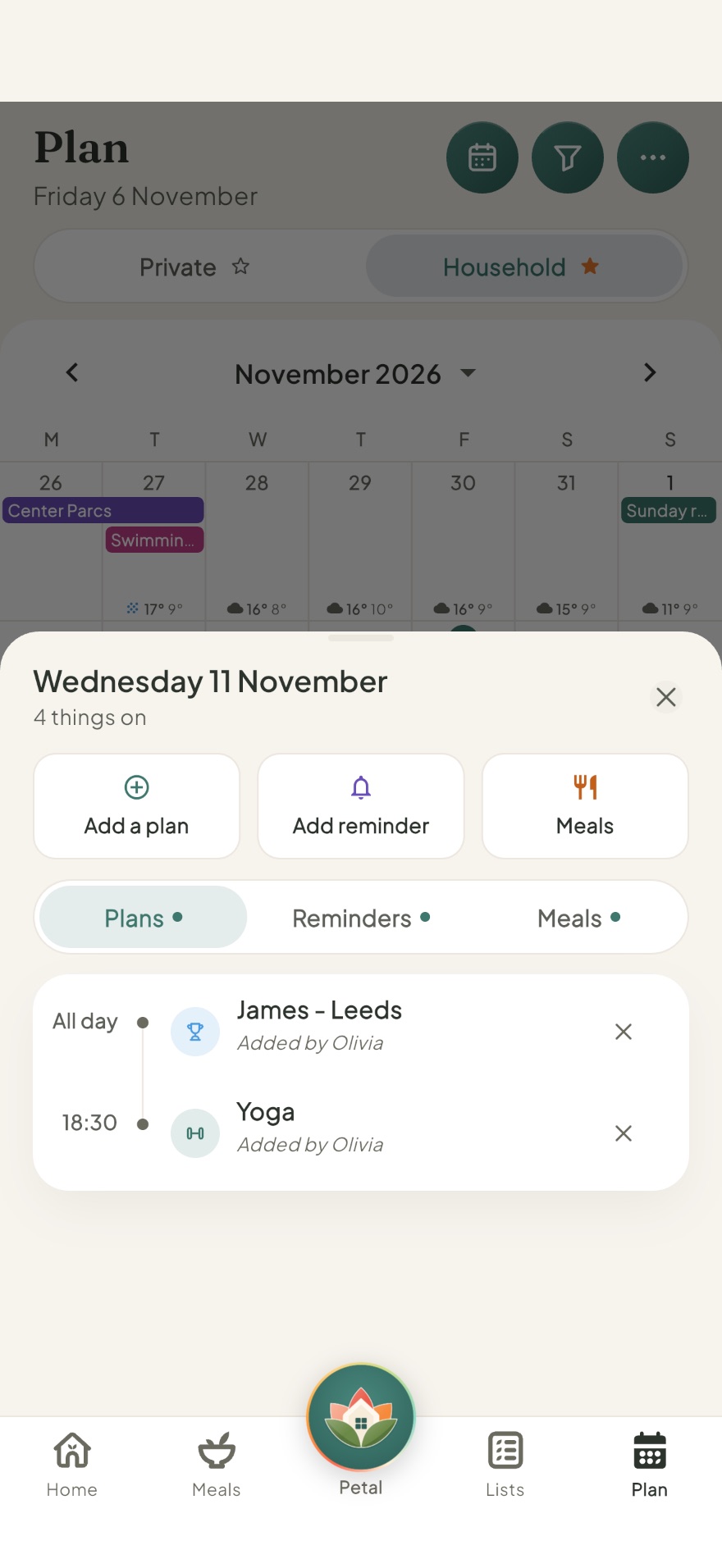
Tap any day to see everything on it
Events, reminders and meals for that day, all in one pop-up, with a quick way to add another of any of them without leaving the calendar.
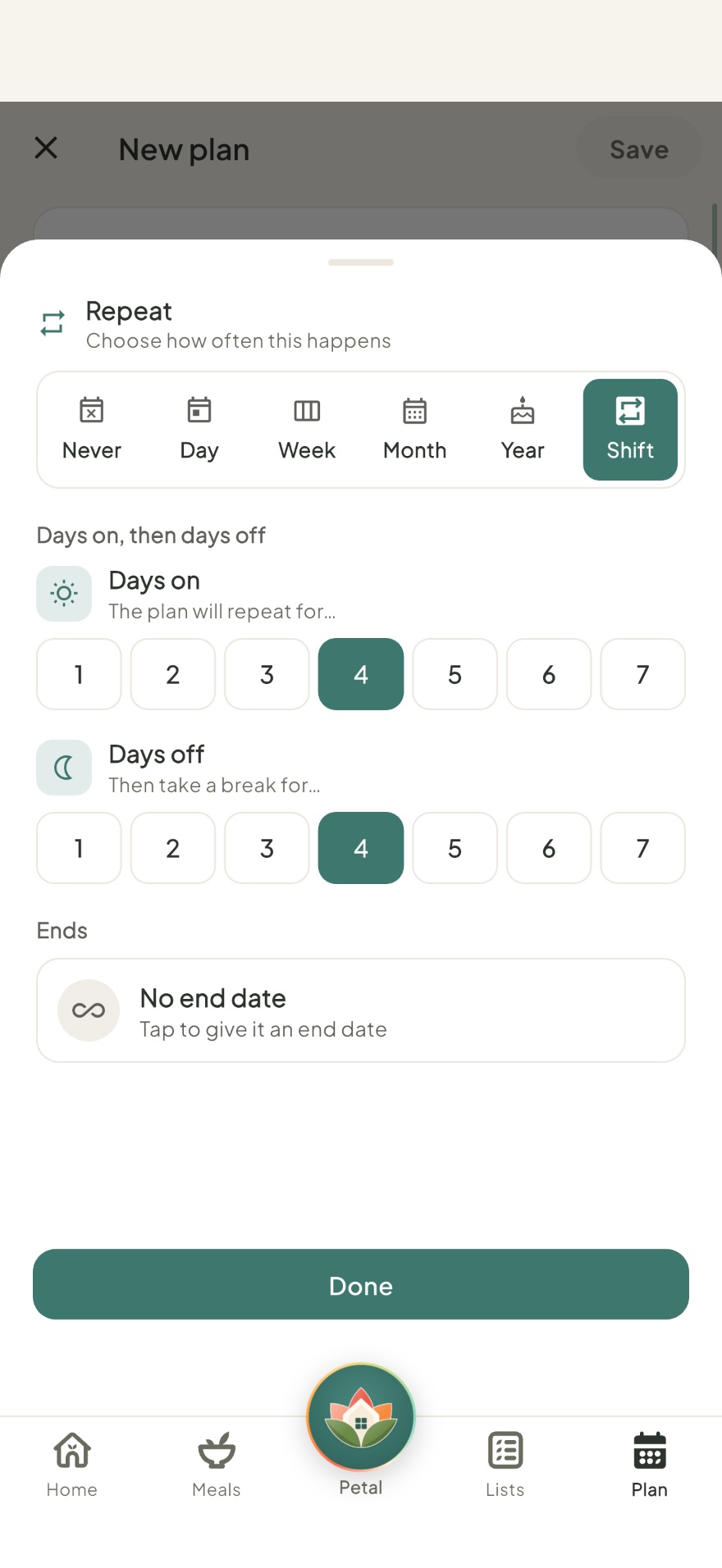
Built for shift workers too
Alongside the usual day, week, month and year repeats, set a shift pattern once, days on then days off, and Petal Home keeps filling it into the calendar for you.
Keeps in step with the calendars you already use
Your household calendar does not have to live in Petal Home alone. Connect the calendars your family already uses, and choose how closely you want them to stay in touch.
Google Calendar
Google Calendar and Petal Home stay in sync automatically, in both directions, even while the app is closed. Add something in either one and it appears in the other, and you can set up a Google Meet without leaving Petal Home.
Outlook Calendar
Outlook works the same way, in both directions and automatically. Teams meetings in your Outlook calendar show up in Petal Home, and you can set up a new Teams meeting right from an event.
Apple Calendar
On iPhone, Petal Home also syncs both ways with your Apple Calendar, working through your phone's own calendar rather than through our servers.
Connect one calendar account (Google, Outlook, or Apple on iPhone and iPad) and bring in as many of its calendars as you like, so work, school and other calendars can feed into Petal Home. Choose Private to keep it to yourself, or Household to share it. Only household admins can share a synced calendar with the whole household.
On iPhone, sent a meeting invitation by email? You can send that event straight into Petal Home, without giving us any access to your inbox.
Would rather not stay connected? You can use Import once instead, bringing events in as a one-off without syncing anything back.
Common questions
Is the calendar shared with the whole family?
Yes. Petal Home's calendar is one shared calendar the whole household can see and add to, so everyone is working from the same plan.
Does it work on iPhone and Android?
Yes. Petal Home is launching on both iPhone and Android, so everyone can join whatever phone they have. It is coming soon, and you can join the waitlist.
Can I see day, week and month views?
Yes. You can swipe between day, week and month, so you can zoom in on today or step back and see the whole month at a glance.
Is our calendar private?
Yes. Petal Home is private by design, with no adverts and no ad tracking. Parents also stay in control of what younger members can see.
Does it sync with Google Calendar?
Yes. You can connect Google Calendar for an automatic two-way sync, so changes in either place appear in the other without you doing anything, even while the app is closed. If you would rather just bring events in without syncing back, a simple one-way import is also available.
Does it sync with Outlook Calendar?
Yes. Outlook Calendar syncs both ways too, automatically. Teams meetings in your Outlook calendar appear in Petal Home, and you can set up a new Teams meeting straight from an event.
Does it sync with Apple Calendar too?
Yes, on iPhone and iPad. Apple Calendar syncs both ways as well, right there on your device.
Get the whole family on the same page
Petal Home is being built to keep your calendar, meals, lists and reminders in one calm shared space. If that sounds useful for your household, join the waitlist and we'll let you know when it launches.
Join the waitlist