 Petal Home
Home / Blog / School Admin: Forms, Payments and Permission Slips
School Admin: Forms, Payments and Permission Slips

School admin rarely arrives in one place. A permission slip comes home crumpled in a bag, a payment request lands in an app, a reminder about a dress-up day turns up in a group chat, and the deadline for the trip was yesterday. None of it is hard. The trouble is that it's scattered, and it all needs doing by someone, by a certain day.
The quick answer
To stay on top of school forms, payments and permission slips:
- Catch every request in one place, the day it arrives
- Date it: write down when it's actually due
- Decide who's doing it
- Done: clear the lot in one short weekly slot
Why school admin slips through
A lot of missed forms aren't forgotten because nobody cared. They're missed because they arrived in five different places, everyone assumed someone else had seen it, and the due date was never written anywhere anyone looks. A system that works doesn't need to be clever. It needs one place to put things, a date on each one, and a name next to it.
1. Catch it: one place for everything
The moment something arrives, whether it's a letter, an email, an app notification or a message in the class chat, put it in one place, the same place every time. It doesn't matter yet whether you can deal with it. It only matters that it's out of the bag and somewhere you'll see it again.
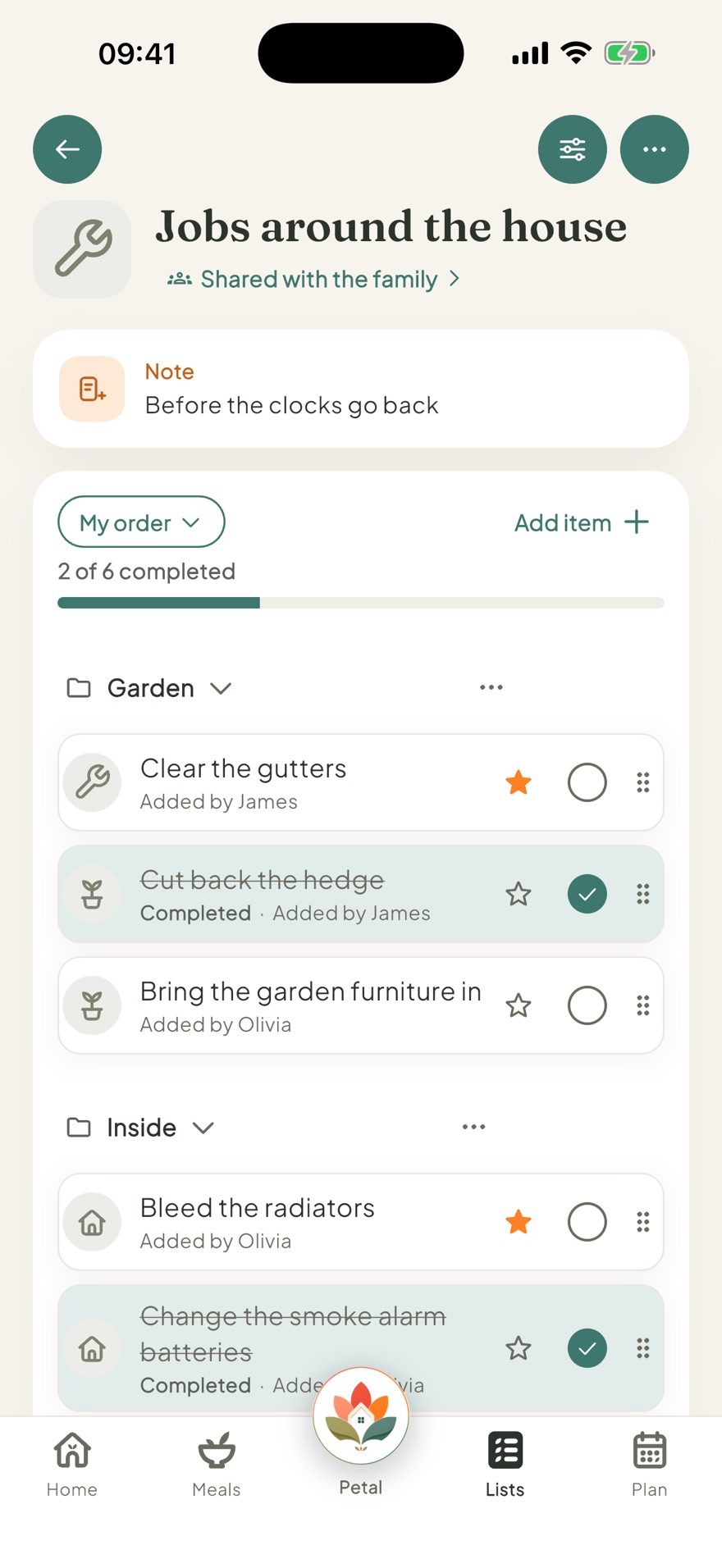
In Petal Home, that can be a shared list called "School admin", with a section for each child, so everyone who helps sees the same list and anyone can add to it. Each item shows who added it, and ticking it off shows everyone it's done, which saves the "did you sign it?" conversation.
2. Date it
Anything that needs an action usually has a real deadline, even when the message doesn't make it obvious. Work it out and write it down: the day the slip has to be back, the day the payment closes, the day of the trip itself. The deadline to hand something in is often a few days before the event, so it's worth noting both.
Anything with a date belongs on the family calendar too: trip days, early finishes, dress-up days and photo days. In Petal Home, the household calendar is free, everyone in the household sees the same week, and each plan can have a reminder before it, such as the day before, for the packed lunch or the costume.
3. Decide who's doing it
"We" is how forms get missed. Give each job one name. It doesn't have to be the same person every time. If more than one adult shares the admin, it can help to split by type: one might handle payments while another handles forms and letters. In Petal Home, a household reminder can be assigned to one person, with its due date, so the nudge goes to their phone. Anything missed waits in Overdue rather than quietly disappearing.
4. Done: one weekly admin slot
Rather than dealing with every request the moment it lands, clear them together once a week. A short weekly slot is often enough to clear the small things before they pile up, and Sunday evening or a quiet weekday works well if you want a regular time. A household reminder can repeat every week at the same time, so the slot happens without anyone having to remember it.
A school admin checklist
- Forms, consent forms and permission slips: read, signed, and back in the bag or sent
- Payments: trips, clubs, lunches and anything with a closing date
- Replies: anything the school has asked you to confirm or choose
- Dates: trip days, early finishes, dress-up and photo days on the calendar
- Kit: anything a date needs, like a packed lunch, a costume or wet-weather clothes
At the start of each term, it's worth a quick look at the school's calendar or newsletter for the dates you already know about, so they're on the family calendar before the reminders start arriving.
Frequently asked questions
How do I keep track of school forms and permission slips?
Put every request in one place the day it arrives, write down its real due date, give it to one person, and clear everything together in a short weekly slot.
How can we share school admin at home?
Keep one shared list everyone who helps can see and add to, and give each job one name. Splitting by type can help: one might handle payments while another handles forms and letters.
What school dates should go on the family calendar?
Trip days, early finishes, dress-up days, photo days and any deadline to hand something in, so everyone in the house can see them.
Can Petal Home remind the right person about a form?
Yes. A household reminder can be assigned to one person with a due date, so the nudge goes to their phone, and anything missed waits in Overdue.
One calm place for the whole family
Petal Home is being built to help families keep meals, lists, calendars and reminders in one calm shared space. If that sounds useful for your household, you can join the waitlist and we'll let you know when it launches.
Join the waitlist