 Petal Home
Home / Blog / When to Book Your Christmas Food Shop
When to Book Your Christmas Food Shop

Christmas delivery and collection slots are starting to open, and each supermarket does it on its own dates. Tesco, for example, opens early access at 6am on 3 November for eligible Anytime and Click+Collect Delivery Saver customers, then opens slots to everyone at 6am on 5 November. Other shops publish their own dates, so it's worth checking yours rather than assuming they're the same. The slot is only half the job. The rest is knowing what you're ordering, who's eating when, and who's doing what. Here's a plan you can do in an evening.
The quick answer
- Check your supermarket's dates, for slots and for any ordering deadlines
- Choose how you'll shop: delivery, collection or in store, and have a backup
- Build the list in three parts: order ahead, buy now, buy late
- Put the dates on the calendar, and give each job to one person
Dates change from year to year and from shop to shop, and slots are limited, so treat the Tesco dates here as an example and check your own supermarket's Christmas page for the current ones.
1. Check the dates
Start with three dates for whichever supermarket you use: when Christmas slots open, the last day to order anything they ask you to order ahead, and the days your delivery or collection can fall on. Tesco's Christmas page, for example, lists 3 November for Anytime and Click+Collect Delivery Saver customers and 5 November for everyone. Its Festive Food to Order items have a checkout cut-off of 11.45pm on 14 December, and those orders are delivered or ready to collect between 20 and 24 December. Slots are limited, so if you want a particular day, check how booking works beforehand and be ready when they open.
2. Choose how you'll shop
Delivery, click and collect and an in-store shop each suit different households. A useful approach is to book the slot you're most likely to need, then decide what could be a separate shop. If your first-choice slot isn't available, have a plan B, like a different day, a different shop, or splitting the order.
- Big order: the main food, treats and drinks, ordered ahead or booked for a slot
- Fresh top-up: milk, bread, salad and vegetables, bought closer to the day
- Backup: what you'd do if a slot or an item isn't available
3. Build the list in three parts
The easiest way to build the Christmas list is to split it by when you need to act, not by aisle.
- Order ahead: the main meal, anything you need to reserve or order in advance, and the drinks you'll want in the house
- Buy now or early: tins, packets, snacks, wrapping and anything that keeps
- Buy late: fresh items, bread, milk, salad and the vegetables for the day
Work out how many people are eating and on which days, then work back to quantities. Christmas Eve, Christmas Day and Boxing Day are often different groups, and it's worth writing down each one, along with any dietary requirements guests have told you about.
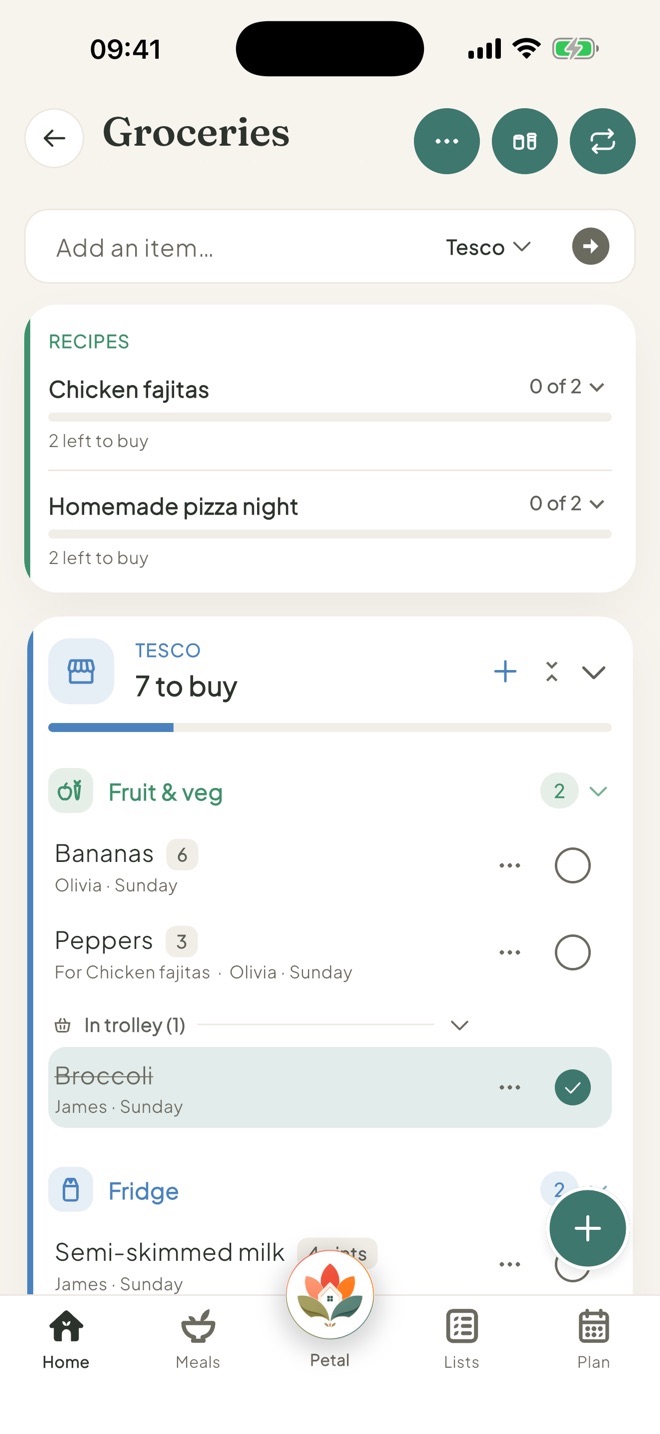
In Petal Home, the shared shopping list is free. Each item has a name, an aisle, a shop and an optional quantity, and everyone in the household can add and tick things at the same time and see each other's changes. Petal Home doesn't book or link to delivery slots, so the list is what you take into your supermarket's own site or app. The free plan includes two shops to sort your list by, and more shops are part of Premium.
4. Put the dates on the calendar
A list doesn't remind you of anything, so the dates need a home of their own. Put the day slots open, the ordering deadline, and delivery or collection day on the family calendar, each with a reminder. In Petal Home, a plan can have more than one reminder, like the day before and an hour before, and a household reminder can be assigned to one person, so "book the Christmas slot at 6am" reaches the phone of whoever's doing it. Petal Home doesn't put a date or reminder on a list itself, so use a plan or a reminder for that.
With Premium, a countdown shared with the household can hold the Christmas date, a note (a good place for an order reference), and the lists and reminders, so everyone can see how many days are left.
5. In the final week
- Review the order: make sure the basket still covers the meals you've planned
- On delivery or collection: check for substitutions and anything missing
- Make space: clear room in the fridge and freezer
- Plan the days: decide what needs cooking, chilling or defrosting, and when
- Keep the list: next year, it's a head start
If you miss the slot you wanted, it isn't a disaster. Look at other days, try a different shop, or do a smaller order and a top-up shop. A calm plan beats a perfect one.
Frequently asked questions
When do Christmas delivery slots open in 2026?
It depends on the supermarket. For example, Tesco opens early access from 6am on 3 November for eligible Anytime and Click+Collect Delivery Saver customers and opens slots to all customers from 6am on 5 November. Its Festive Food to Order items have a 14 December checkout cut-off and are delivered or collected between 20 and 24 December. Check your own supermarket's Christmas page for its dates.
How do I plan a Christmas food shop for the family?
Check your supermarket's dates, choose how you'll shop, build the list in three parts (order ahead, buy now, buy late), and put the deadlines and delivery day on a shared calendar with reminders.
Can Petal Home book my supermarket delivery slot?
No. Petal Home holds the shared shopping list and the reminders, and you book the slot with your supermarket.
How can we share the Christmas shopping list?
In Petal Home, everyone in the household can add and tick items on the shared list and see each other's changes. Each item can have a quantity, and you can sort the list by shop.
One calm place for the whole family
Petal Home is being built to help families keep meals, lists, calendars and reminders in one calm shared space. If that sounds useful for your household, you can join the waitlist and we'll let you know when it launches.
Join the waitlist