 Petal Home
Home / Blog / Family Christmas Planner, All in One Place
Family Christmas Planner, All in One Place

Christmas isn't one thing to plan, it's about six: presents, food, guests, the day itself, the money, and whoever's turn it is to host. Most of the stress comes from those six things living in six different places.
The quick answer
A calmer family Christmas comes down to keeping the important bits together: gifts, spending, meals, plans and the day itself. In Petal Home:
- A gift list can have an overall budget and a budget for each person, with Premium; tick a gift and it's marked purchased, counted towards what you've spent
- Christmas Day can repeat every year automatically, so it's set up once, not re-added each December
- Christmas dinner is planned like any other meal, with more than one meal a day possible with Premium
- Christmas spending belongs on a budgeted gift list, not Outgoings, which has no option for a one-off cost
- Separated families can split the day across more than one household
One gift list, not a notebook nobody can find
The classic Christmas list problem: it's in someone's head, half on a notes app, half remembered at the till. A gift list can be shared when several people are contributing, or kept private when it contains surprises. With Premium, it can carry an overall budget and a budget for each person, so everyone chipping in sees the same total and the same running spend, not just their own bit.
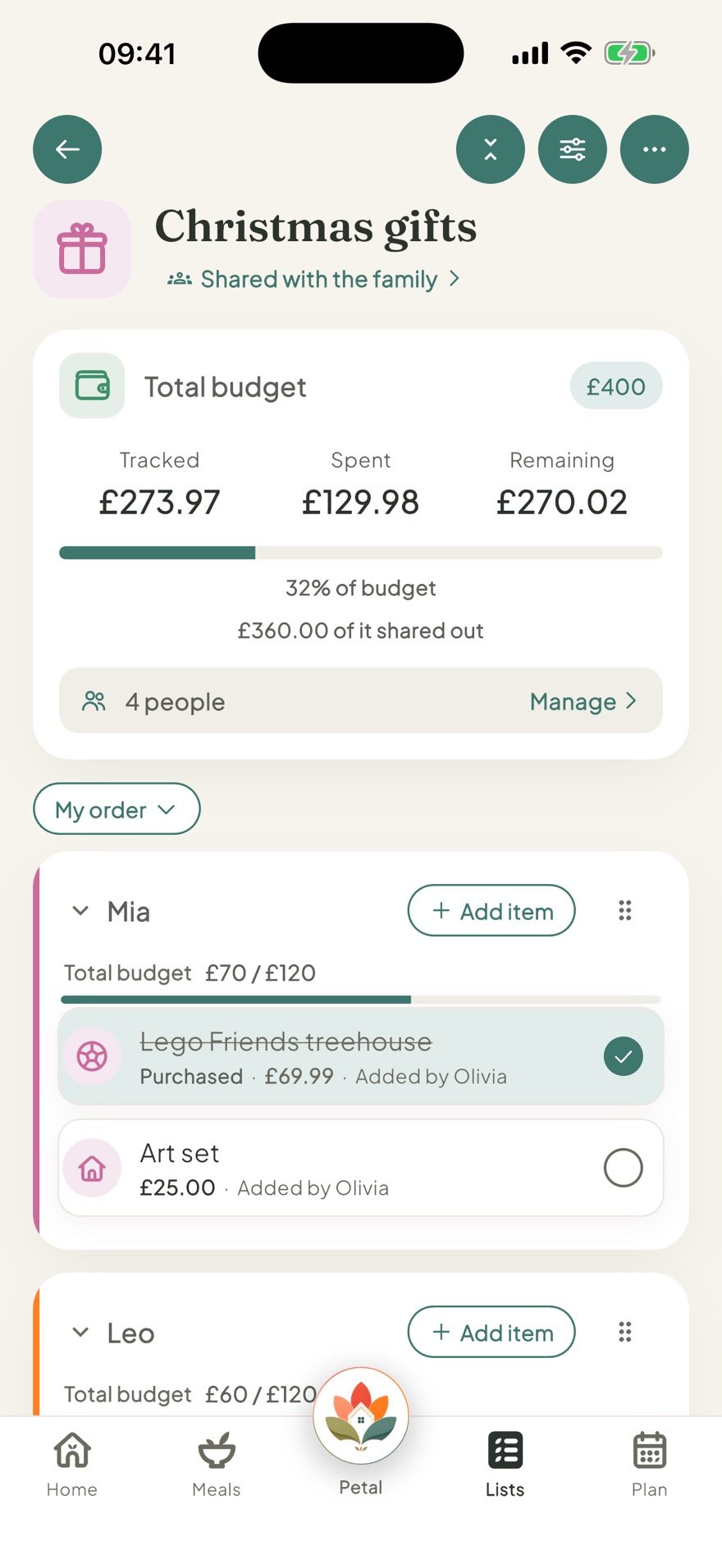
Tick a gift off and it's marked purchased, counted towards what you've spent, so you know exactly how much of the budget is left without adding it up by hand.
Christmas Day, without re-entering it every year
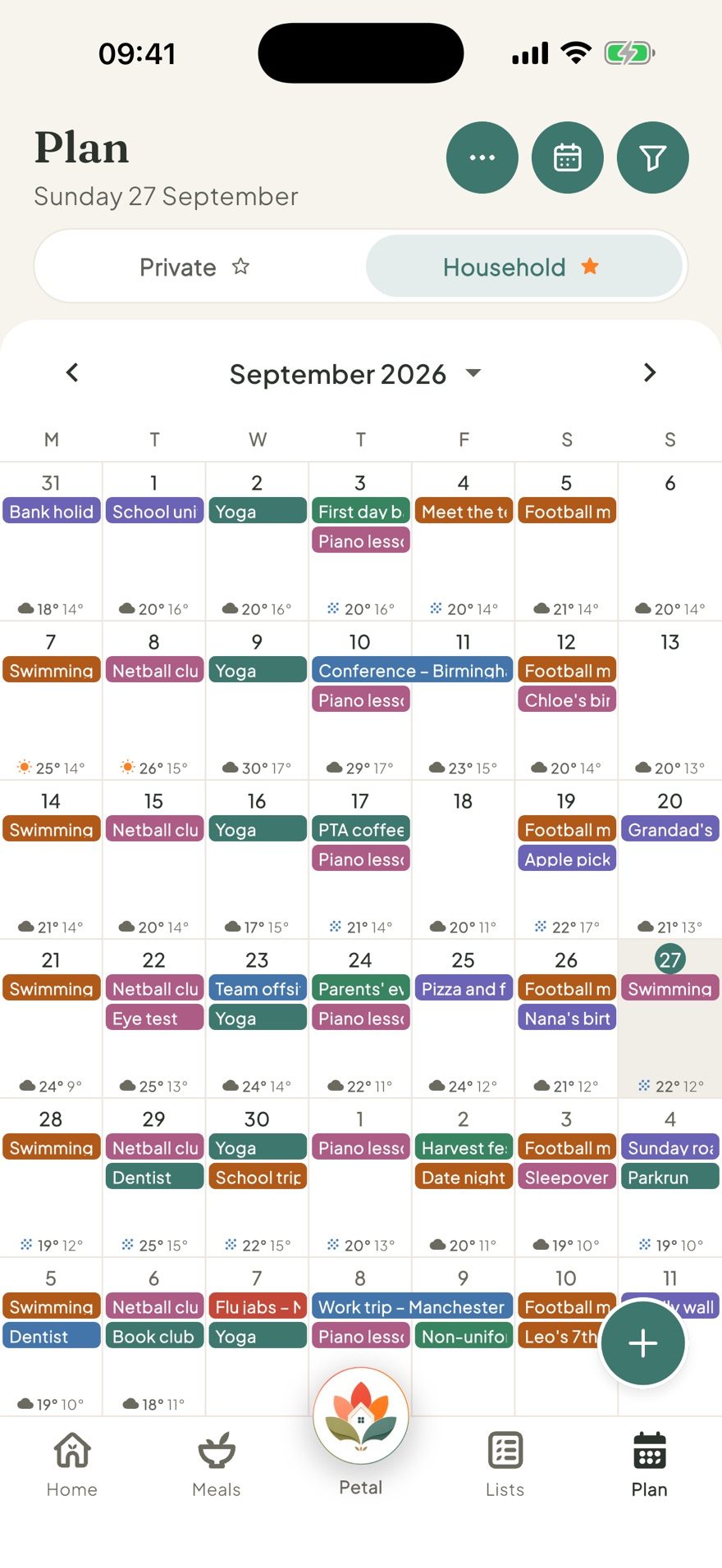
A calendar event can repeat yearly, which is exactly what Christmas Day is: the same date every year. Set it once, whether that's the day itself, the family visit that always happens on the 27th, or Boxing Day at a particular house, and it's simply there every December from then on, no re-adding required.
If you want a live days-to-go alongside it, a Christmas countdown does that too (Premium). A countdown doesn't repeat, though: once the day's passed it moves to Been and gone, so you'd set up a fresh one next year. More in getting the most out of Countdowns.
Where the Christmas money actually goes
Outgoings (Premium) is for costs that repeat weekly, monthly or yearly. It has no option for a one-off cost, so a gift budget list suits Christmas shopping better, with the total, what's spent and what's left all in one place.
Christmas dinner is still just a meal
Petal doesn't need a special Christmas mode for dinner. The 25th can be planned just like any other meal date, on the same meal plan a Tuesday's dinner goes on. The free plan holds one meal a day; with Premium, plan more than one, useful over Christmas when there's a big breakfast, the main meal and something lighter in the evening all worth having down. Whatever's planned, the ingredients can go straight onto the shared shopping list, so the big shop doesn't get worked out twice.
When Christmas splits across more than one home
For separated or blended families, Christmas Day itself might be split between two houses. Belonging to more than one household and switching between them means each home keeps its own calendar, gift lists and meal plan, so each can plan its own part of Christmas without merging everything into one household calendar. More on how that works in our piece on a calendar for co-parenting and two homes.
What to sort before December gets busy
- Decide where Christmas Day is happening
- Set a rough gift budget
- Start private or shared present lists
- Add family visits and repeating traditions to the calendar
- Plan Christmas dinner and any extra meals for the day
- Build the big food shop from the meal plan
The point of sorting this out in November
November is a good point to sort the fixed decisions: who's hosting, a gift budget, the family dates that repeat every year, and the present lists. None of it needs doing on Christmas Eve, and once it's settled, December gets to be about the actual anticipation, not the admin underneath it.
Petal Home brings gift lists, the calendar, meals and reminders into one calm shared space for the whole family.
Frequently asked questions
How do I organise Christmas in one place?
Start with the fixed things: where Christmas Day is happening, family visits and any traditions with set dates. Then add gift lists and a budget, plan Christmas dinner, and keep the big food shop tied to the meals you've chosen.
How do I make a Christmas gift list with a budget?
With Premium, start a list with an overall budget and a budget for each person. Tick a gift and it's marked purchased and counted towards what you've spent. The list can be shared if several people are contributing, or kept private.
Does Christmas Day repeat every year automatically?
A calendar event can repeat yearly, so Christmas Day itself, or a family tradition like visiting grandparents, only needs setting up once, and it's free. A countdown works differently: it doesn't repeat, so a Christmas countdown (Premium) needs setting up fresh each year.
Can I track Christmas spending in Outgoings?
Outgoings (Premium) is for costs that repeat weekly, monthly or yearly, like bills and subscriptions, with no option for a one-off cost. Christmas spending belongs on a budgeted gift list instead, where the total and what's left are always visible.
Can I plan Christmas dinner like any other meal?
Yes. Any date, the 25th included, can have a meal planned the same way as any other day. The free plan holds one meal a day; with Premium, plan more than one, useful for a big breakfast and dinner on the same day.
One calm place for the whole family
Petal Home is being built to help families keep meals, lists, calendars and reminders in one calm shared space. If that sounds useful for your household, you can join the waitlist and we'll let you know when it launches.
Join the waitlist