 Petal Home
Help centre › Bills and outgoings
Bills and outgoings
Keep your bills and subscriptions in one place, and get a nudge before each one goes out.
Outgoings is part of Premium. In the US and Canada it's called Bills.
Open Outgoings
Tap the Petal button in the middle of the bottom bar, then Outgoings.
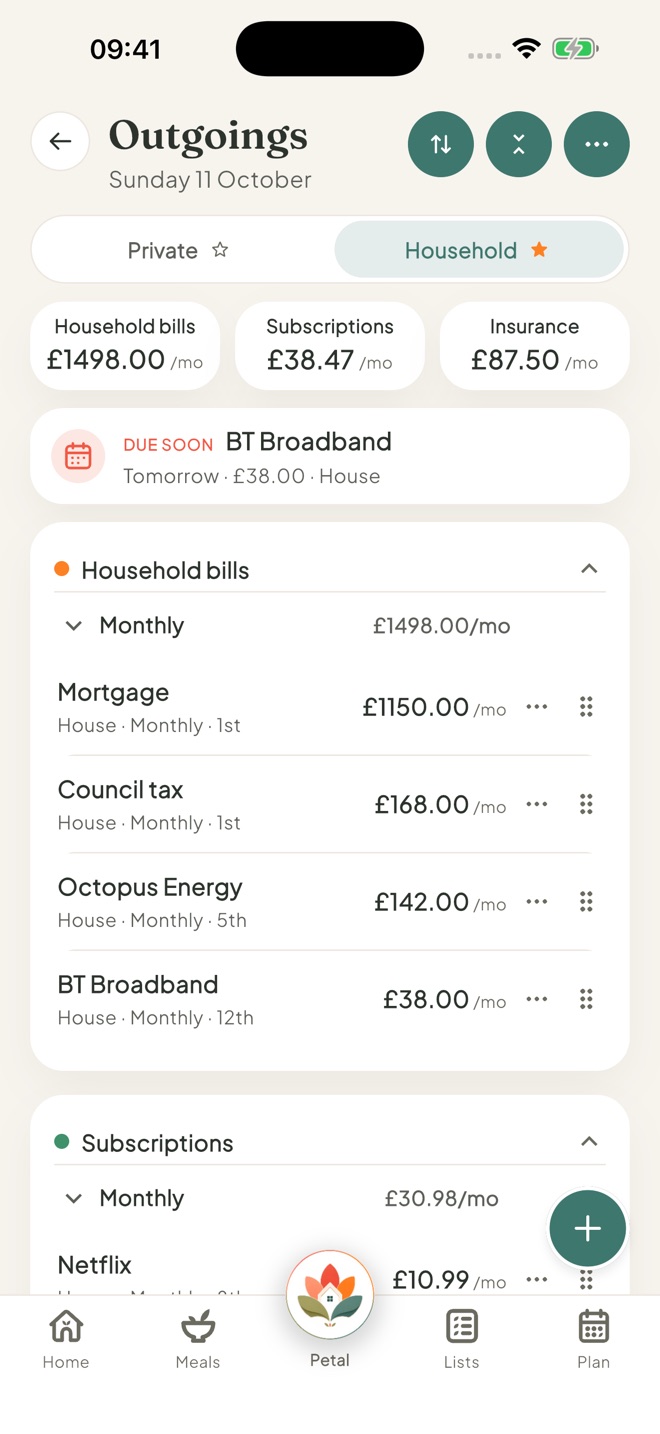
Add a bill
Tap + at the bottom right and choose Household outgoing or Private outgoing.
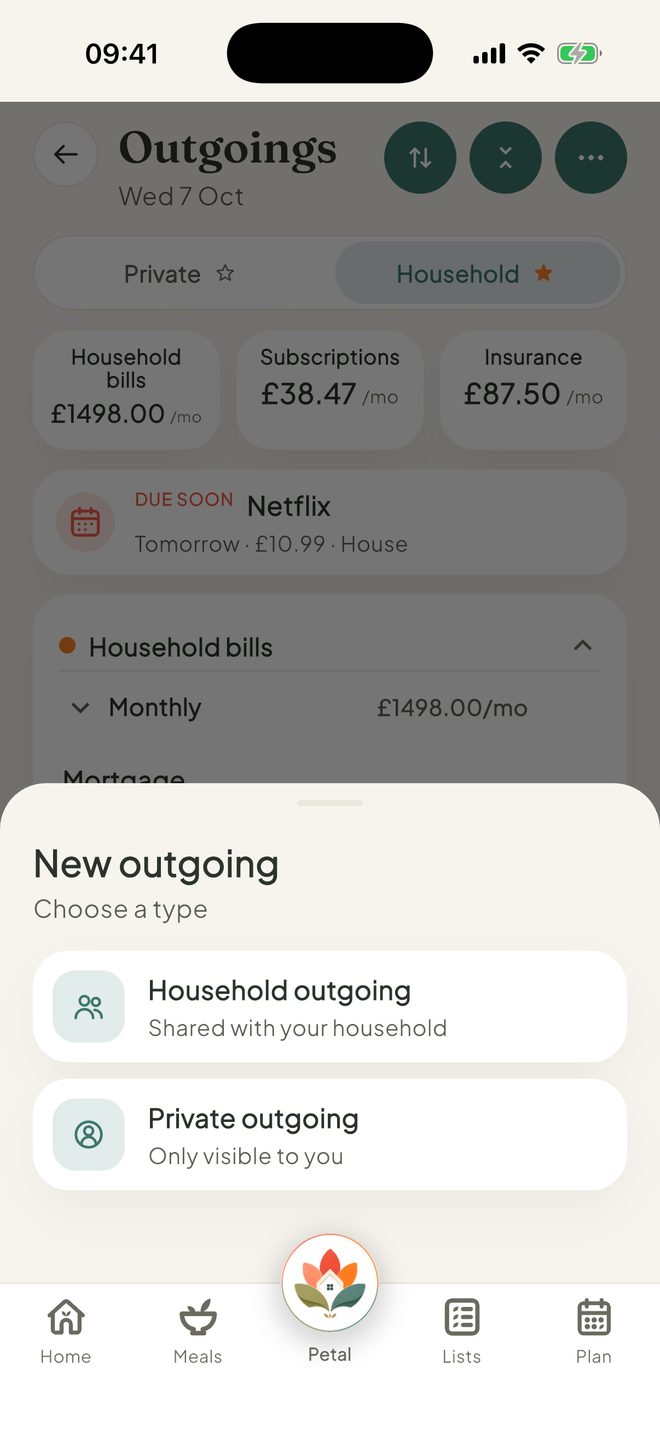
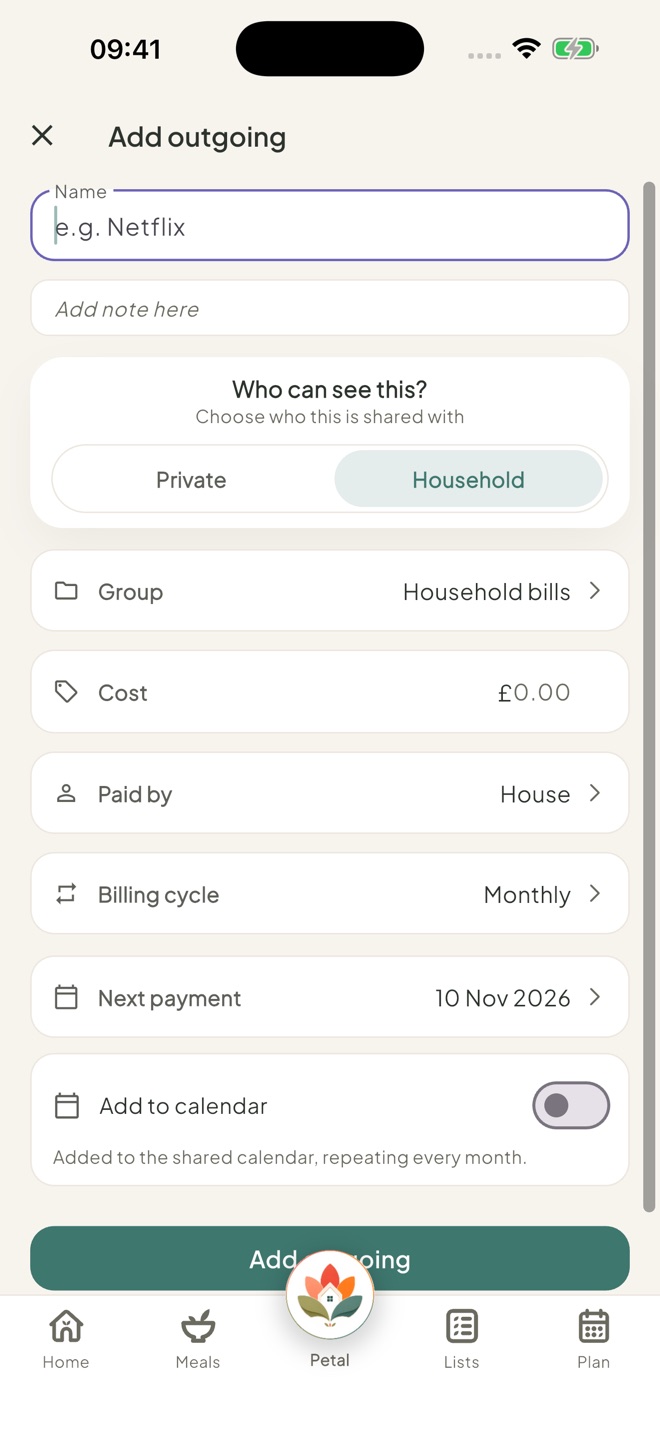
Fill it in
Add the Name, Group (you can make a New group right inside the picker), Cost, who it's Paid by, the Billing cycle and the Next payment. Groups include Household bills, Subscriptions and Insurance, and the billing cycle can be Weekly, Monthly or Yearly. Turn on Add to calendar if you like, then tap Add outgoing.
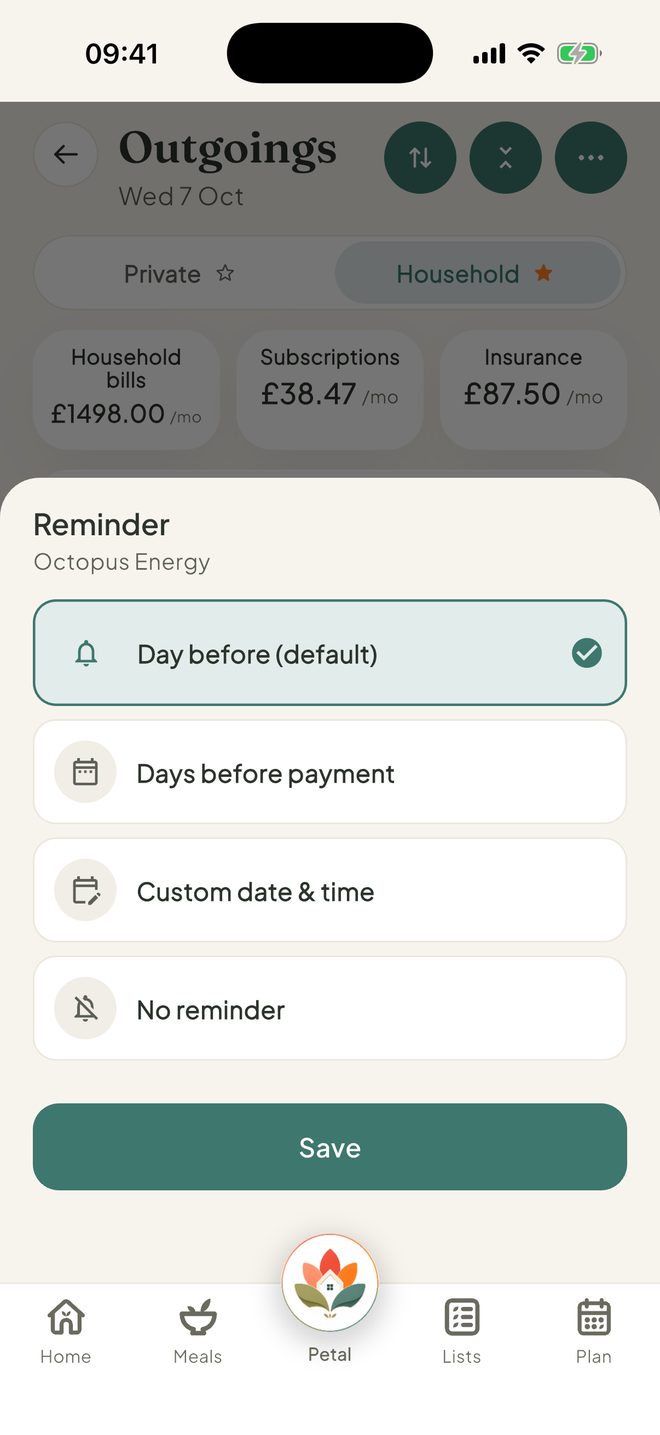
Get reminders
Tap ⋯, then Notifications. Automatic renewal reminders is on to start with: a nudge the day before each one renews. Tap any bill there to change its own reminder. You can also set a Reminder on one bill from its ⋯ menu.
Good to know
- The Payment due soon card on Home shows your next bill when one is due in the next 7 days. When nothing is due, it stays out of the way.
- Each bill's ⋯ menu has Edit, Watch this bill, Reminder, Pause or Resume, and Delete. The top ⋯ has Highlights, Payers, Customise and Notifications.
- Paid by starts as House. Tap Add someone or Manage payers to add the people who pay.
- Each month shows a soft coloured card for each group. Tap one to see that group's month: Left to pay with a bar, and the next 3 payments. Due soon is shown in calm teal.
- Bills you're Watching: swipe one to stop watching it.
- In the US and Canada you'll see Bills, New bill and Add bill.
- Children start with Outgoings set to Hidden. Can't see Outgoings, or can't add one? An admin may have set it to View or Hidden for you.
Keep going
Still stuck?
Email hello@petalhome.app and we'll help.