 Petal Home
Help centre › Private and Household
Private and Household
Petal Home keeps your own things and the household's things side by side. Here's how the switch works.
1Step 1 of 3
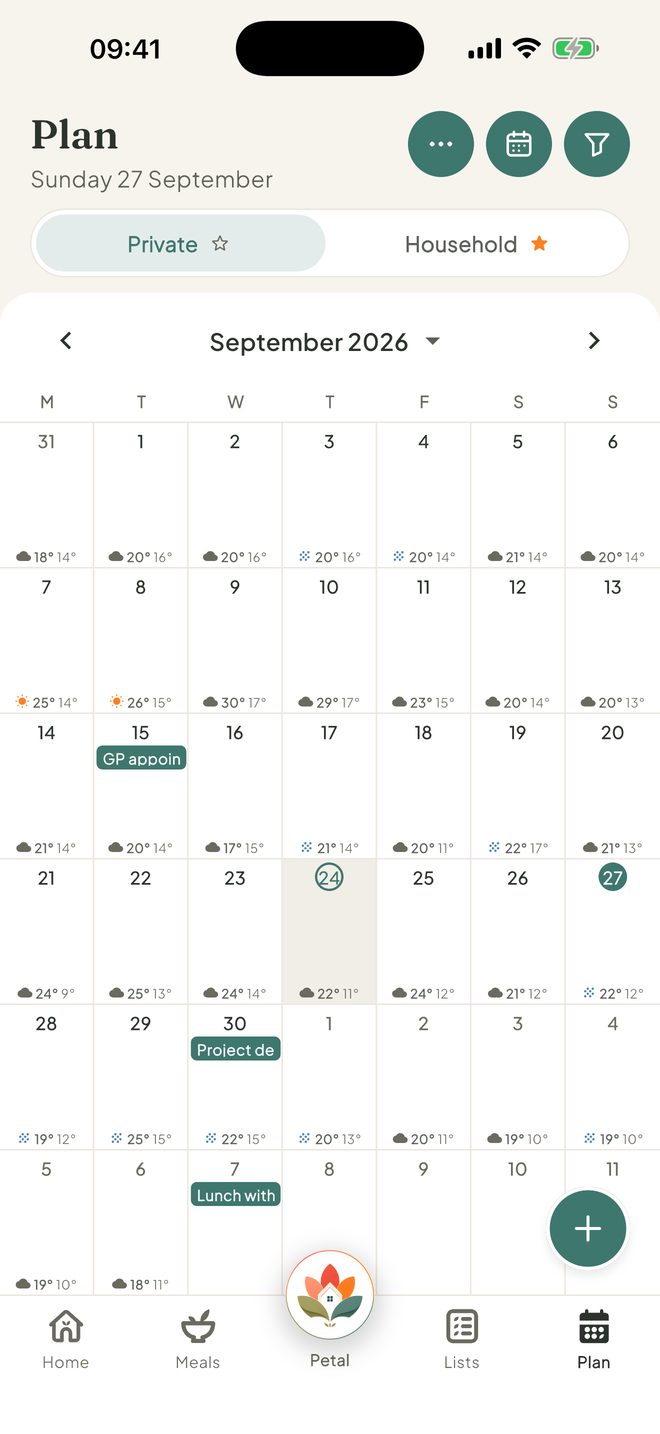
Two tabs at the top
Plan, Lists, Reminders, Outgoings, Countdowns and Household info each have Private and Household tabs. Household is for everyone. Private is just yours.
2Step 2 of 3
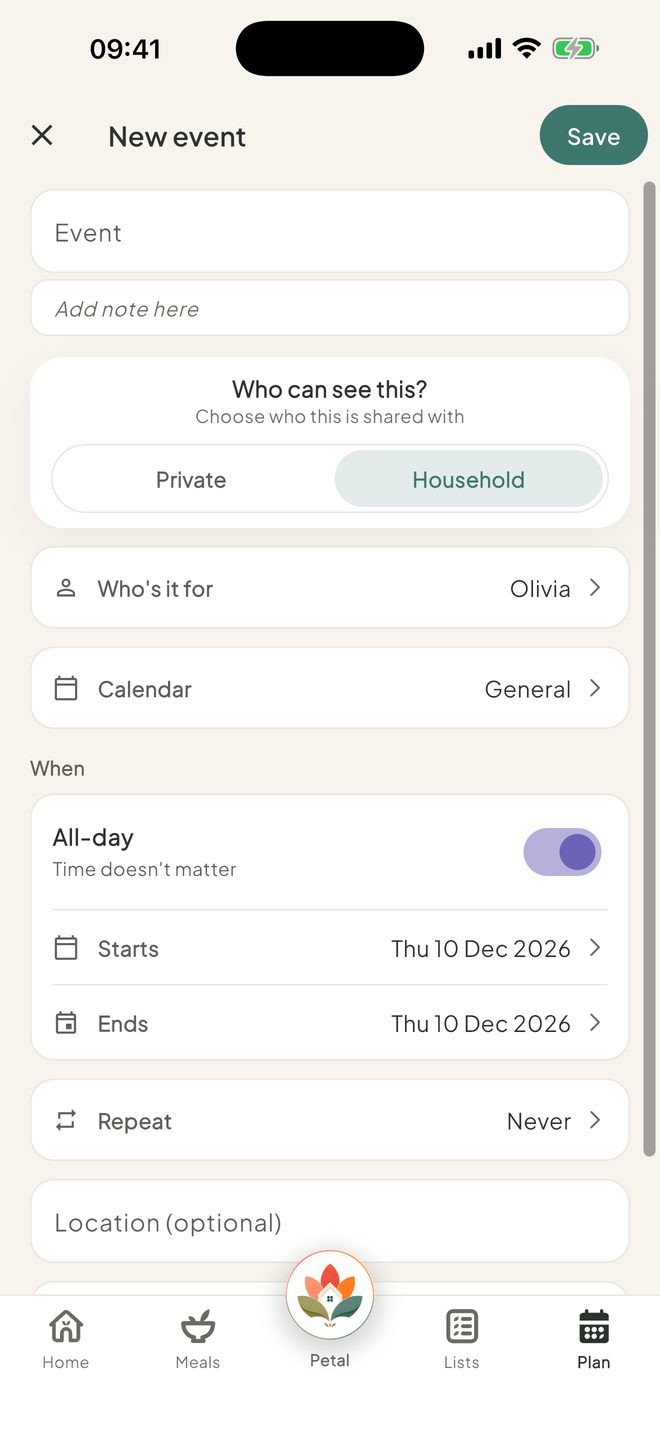
Choose when you add something
When you tap +, choose Private or Household. You can change it later under Who can see this?. On Plan it starts on the tab you were on.
3Step 3 of 3
Pick which tab opens first
Household opens first. Tap the small star on a tab to make that one open first instead.

Good to know
- On Reminders, Private shows your own reminders and anything assigned to you.
- Lists and countdowns can also be shared with just certain people.
- Groceries, meals and recipes are always shared with the household.
- Only the person who added something, or an admin, can change who sees it.
- The star is saved on each phone. On Plan it follows your account.
- For a child an admin has set to View, new things are private only, and household things are read-only.
Keep going
Still stuck?
Email hello@petalhome.app and we'll help.