 Petal Home
Help centre › Countdowns
Countdowns
Count down to a holiday, birthday or big day, and keep its lists, reminders and key dates together.
Countdowns are part of Premium.
Open Countdowns
Tap the Petal button in the middle of the bottom bar, then Countdowns.
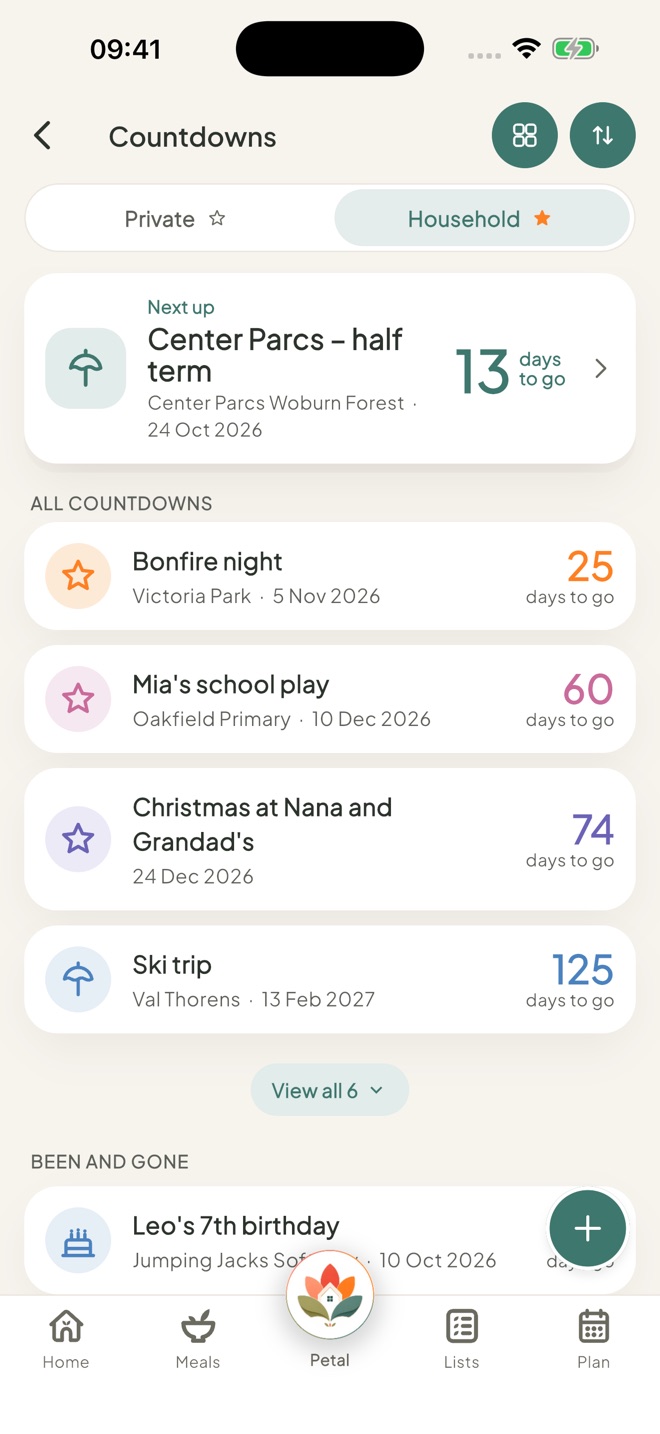
Add a countdown
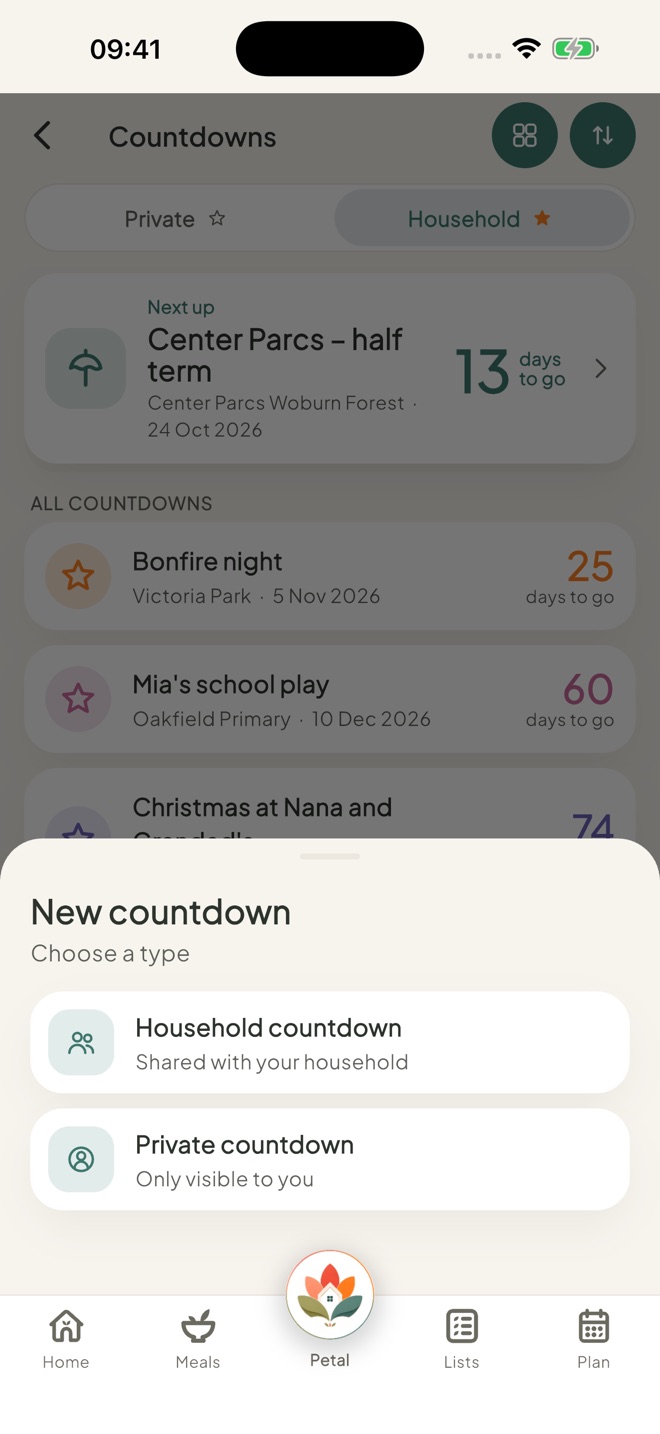
Tap + at the bottom right and choose Household countdown or Private countdown.
Fill it in
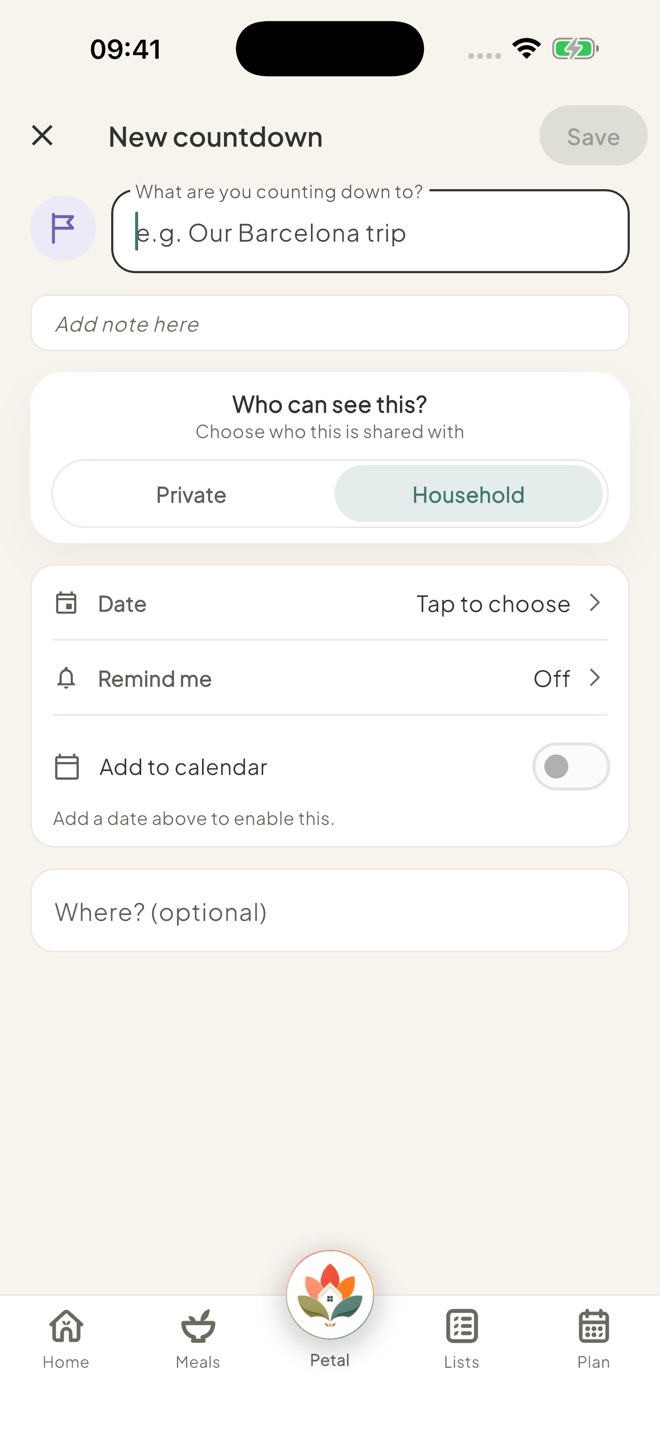
Type What are you counting down to?, choose the Date, then tap the circle to pick an icon and colour. You can also add Remind me, Add to calendar and Where? (optional). Then tap Save. Add to calendar makes a real all-day event on Plan.
The date is optional. Remind me needs a date (Day before, Week before or Custom), and Add to calendar stays grey until you add one. Once it's on Plan, the countdown and the event move together: change one date and the other follows.
Add lists, reminders and key dates
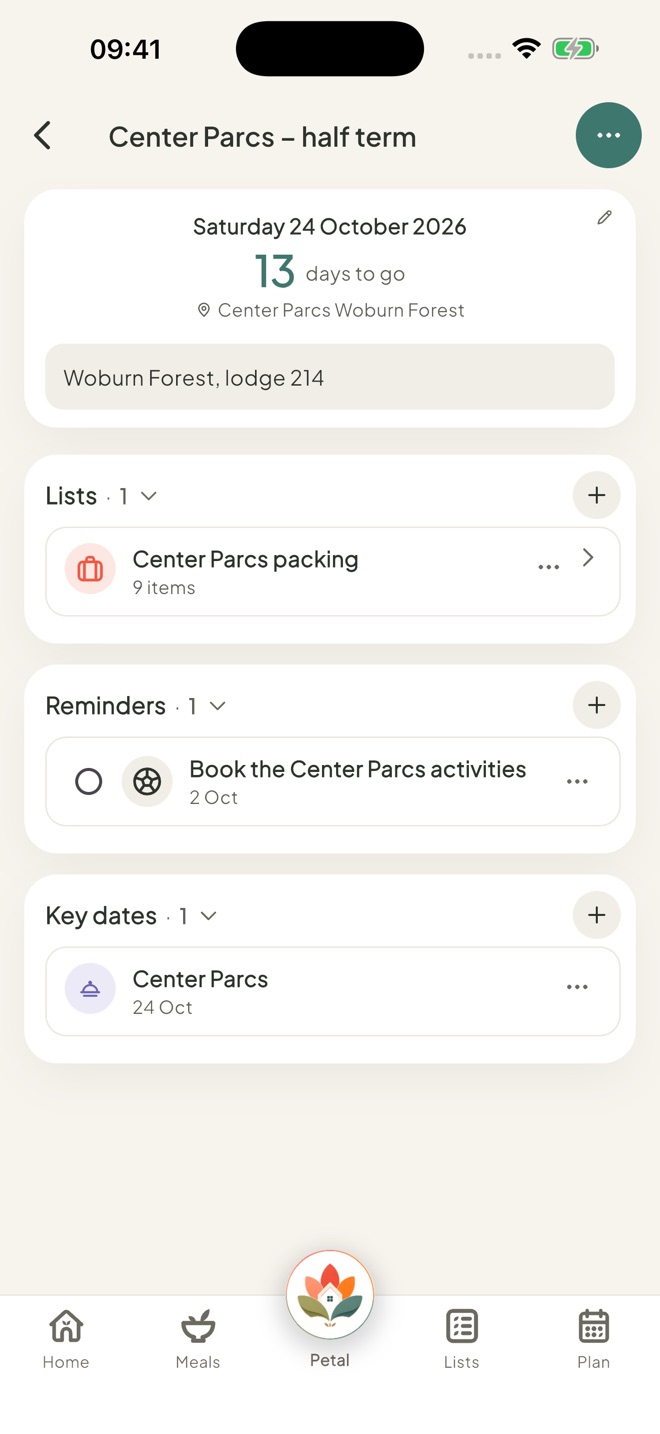
Open the countdown. In Lists, Reminders or Key dates, tap New list, New reminder or New key date. Once a section has something in it, tap the small + next to its name.
Show it on Home
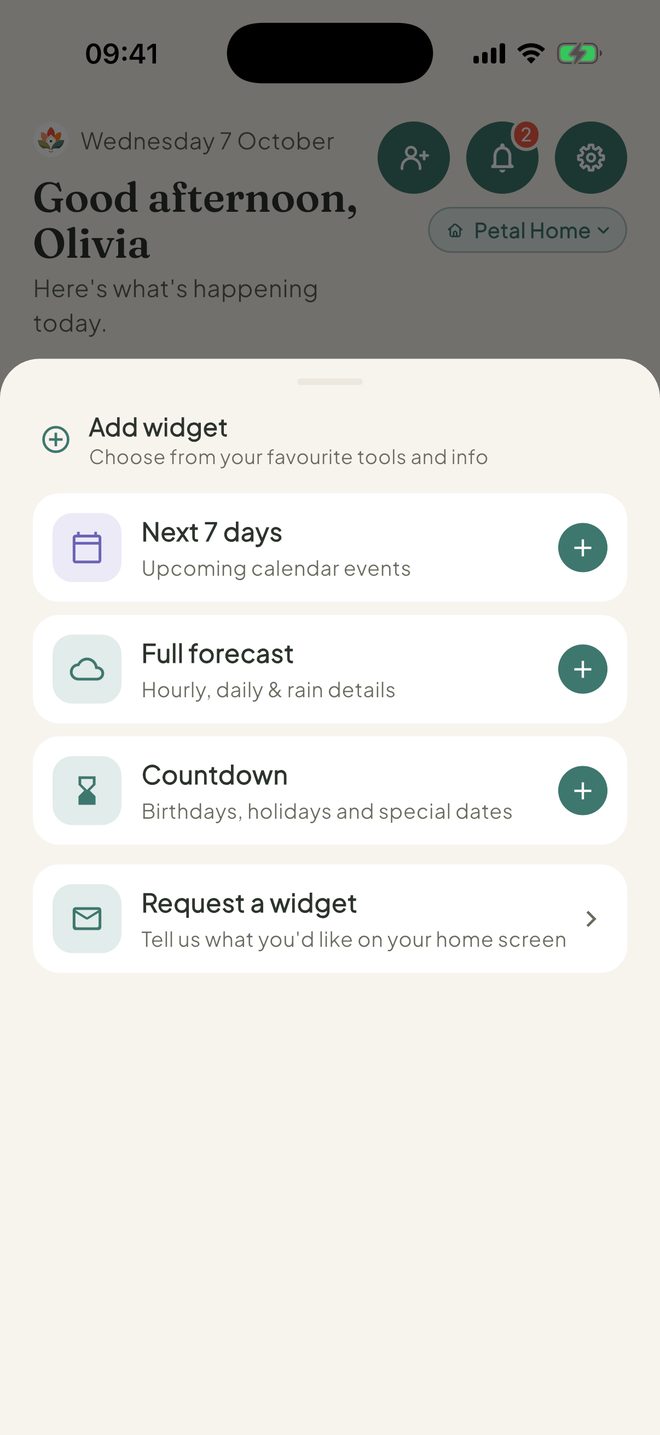
Press and hold anywhere on Home, tap Add widget, then Countdown, and choose which one. You can have up to 4.
Good to know
- A household countdown is shared with everyone, unless you limit it to certain people. A private one is only for you.
- Tap ⋯ on a countdown for Edit or Move to deleted. Swipe left to delete. In My order, drag a card to the top to pin it. The big top card says Pinned (My order) or Next up (Soonest).
- Past countdowns go under Been and gone.
- Every plan on Plan has a Countdown row. Tap it to make a countdown from that plan. Once linked, the plan's row reads something like "Florida · 40 days to go", with "Linked. Change the date and the countdown moves too." underneath.
- You can drag countdowns into your own order, using the move dots on the right.
- An empty Countdowns page shows idea buttons: Holiday, Christmas, Birthday, Weekend away, Back to school and Anniversary.
- If Premium stops, everything you made is kept, but you can't add to it until you restart.
- Can't see Countdowns, or can't add one? An admin may have set Countdowns to View or Hidden for you.
Keep going
Still stuck?
Email hello@petalhome.app and we'll help.