 Petal Home
Help centre › Give someone a reminder
Give someone a reminder
Add a reminder, give it to the right person, and make it come round again if it needs to.
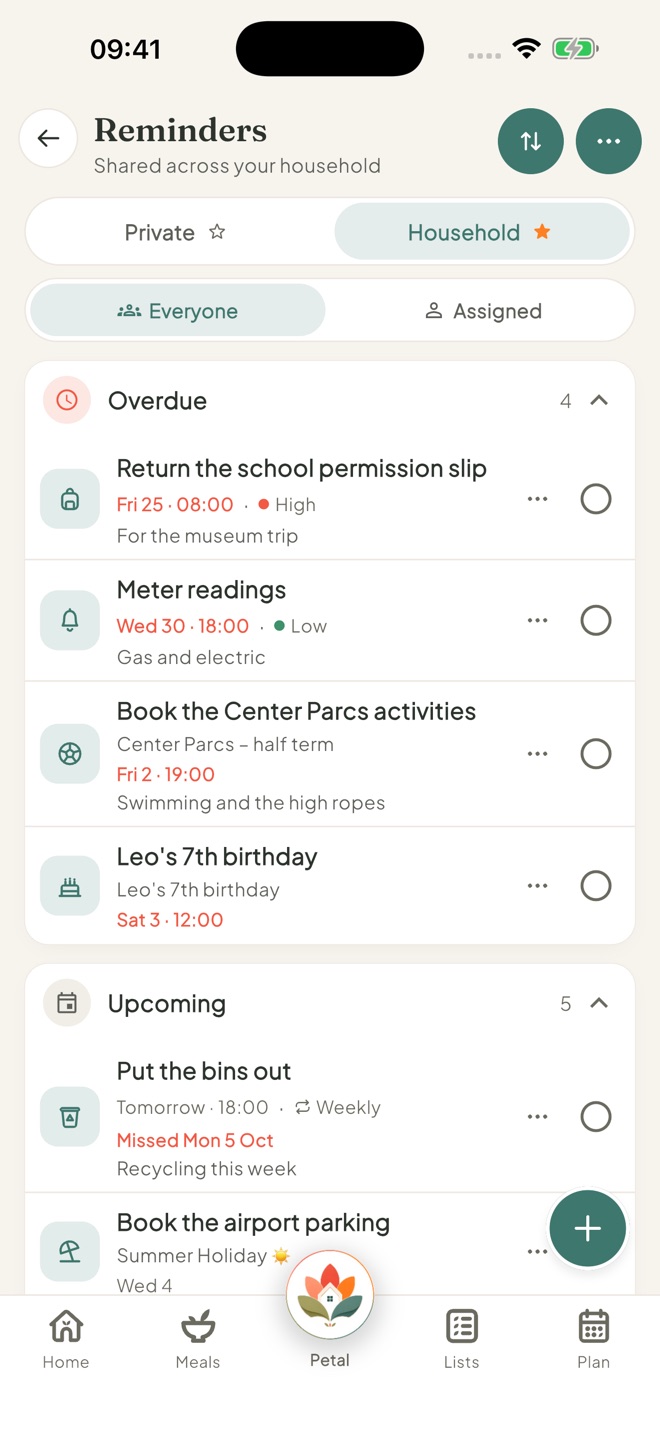
Open Reminders
Tap the Petal button in the middle of the bottom bar, then Reminders. Or tap a day on Plan, then Add reminder.
Add a reminder
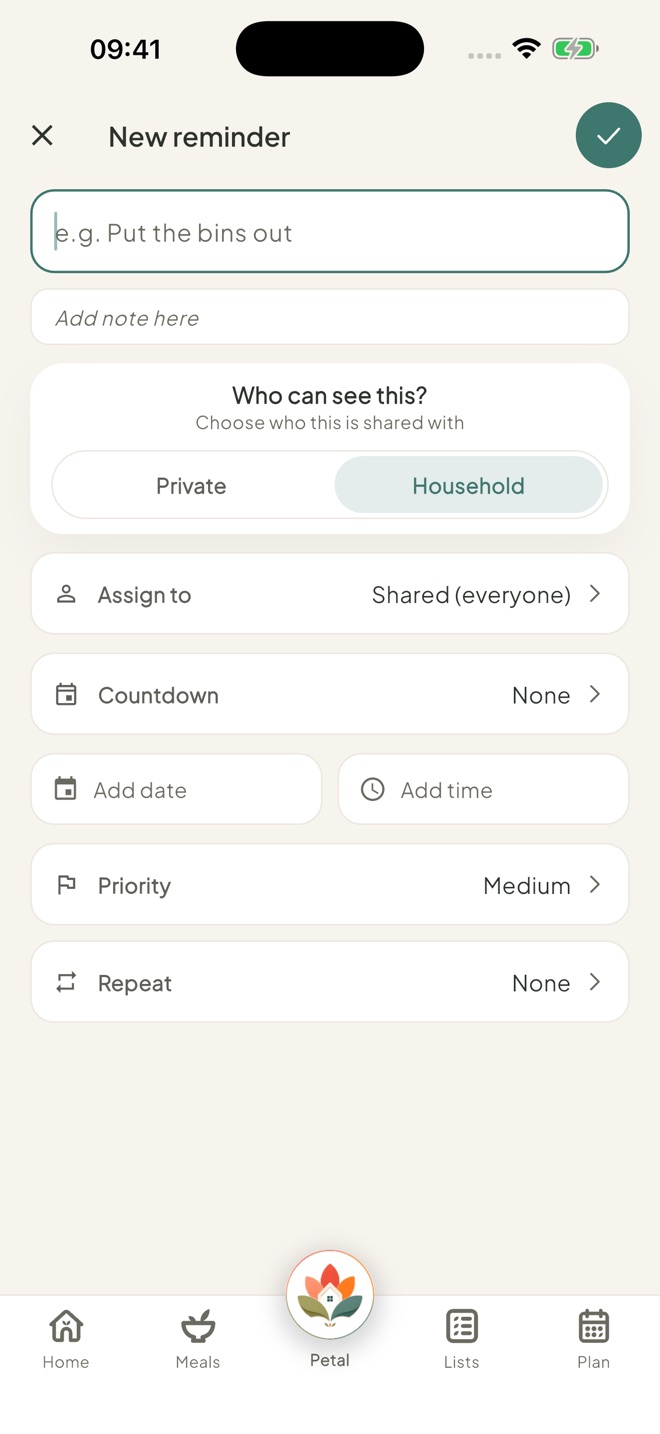
Tap + at the bottom right and choose Household reminder or Private reminder. Type what needs doing, and add a note if it helps.
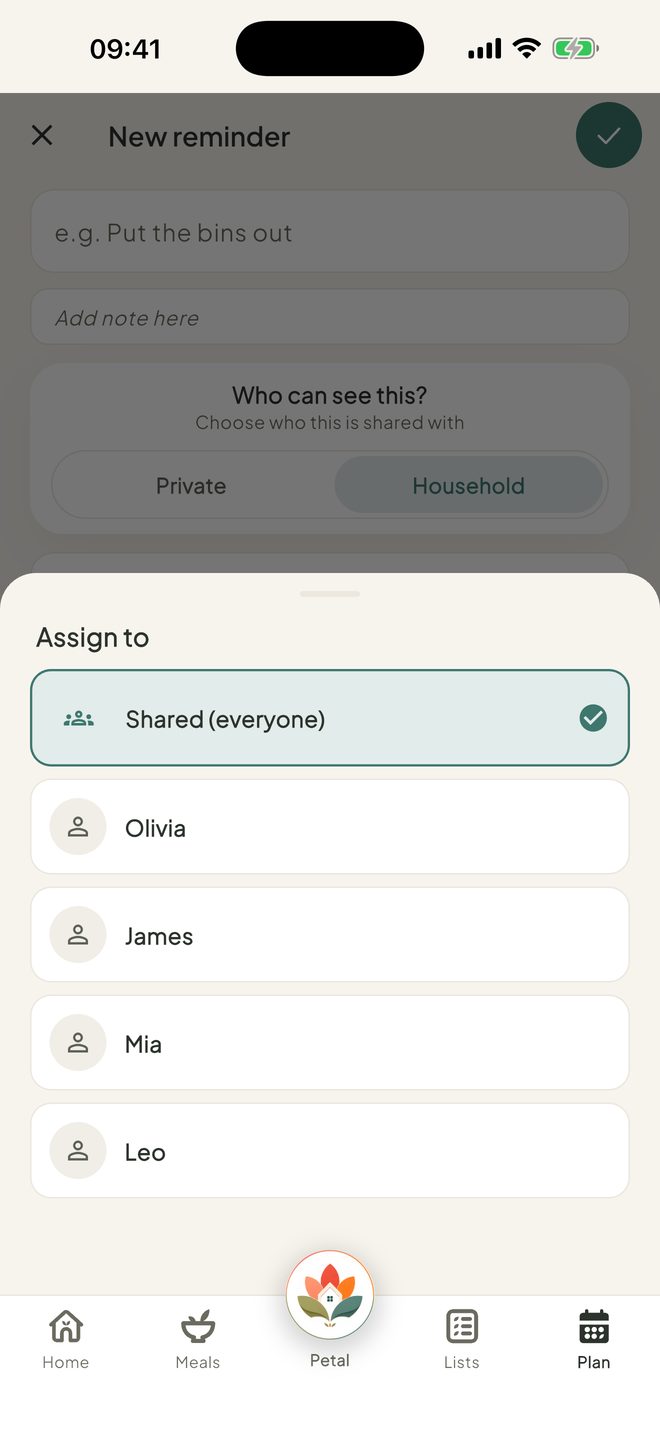
Give it to someone
On a household reminder, tap Assign to and pick a person, or Shared (everyone).
You can give reminders to people without their own login too, such as younger children.
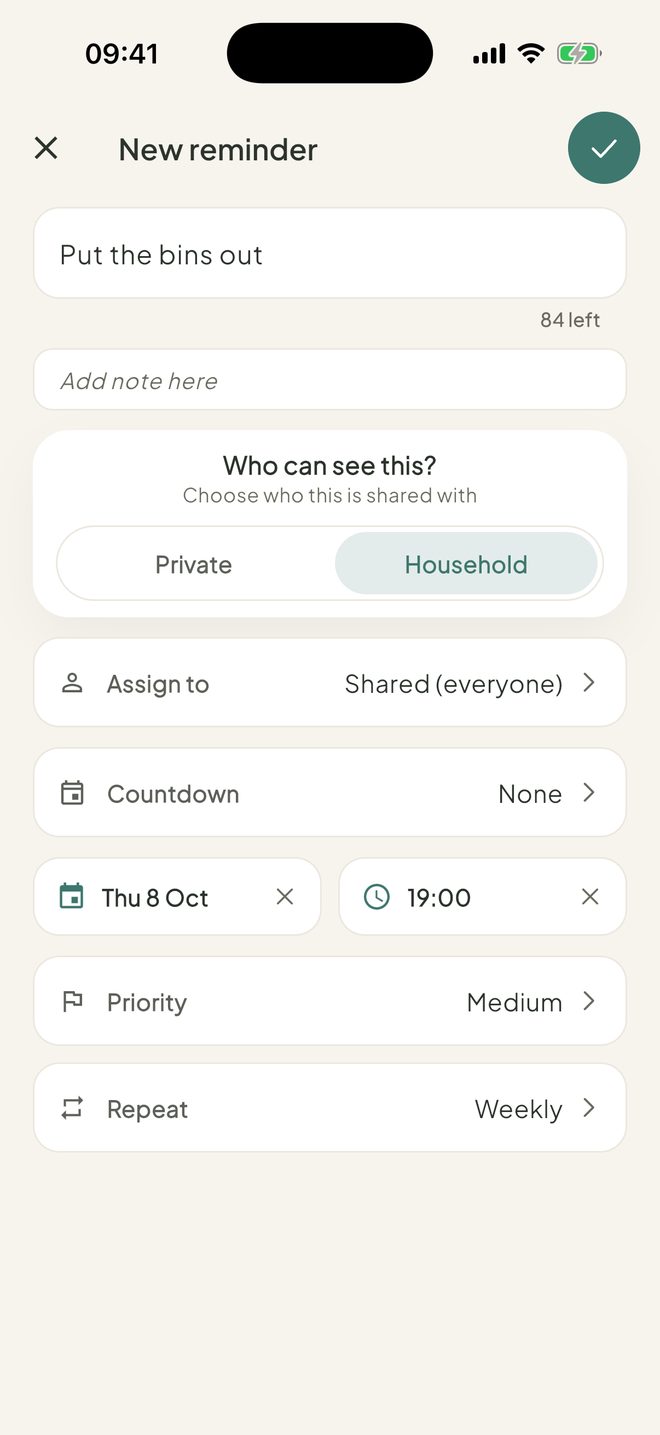
Pick when, and make it repeat
Tap Add date and Add time. Set a Priority (Low, Medium or High) if you like. Use Repeat (Daily, Weekly, Monthly or Custom) for things that come round again, like bin day.
Save, and find it in Reminders
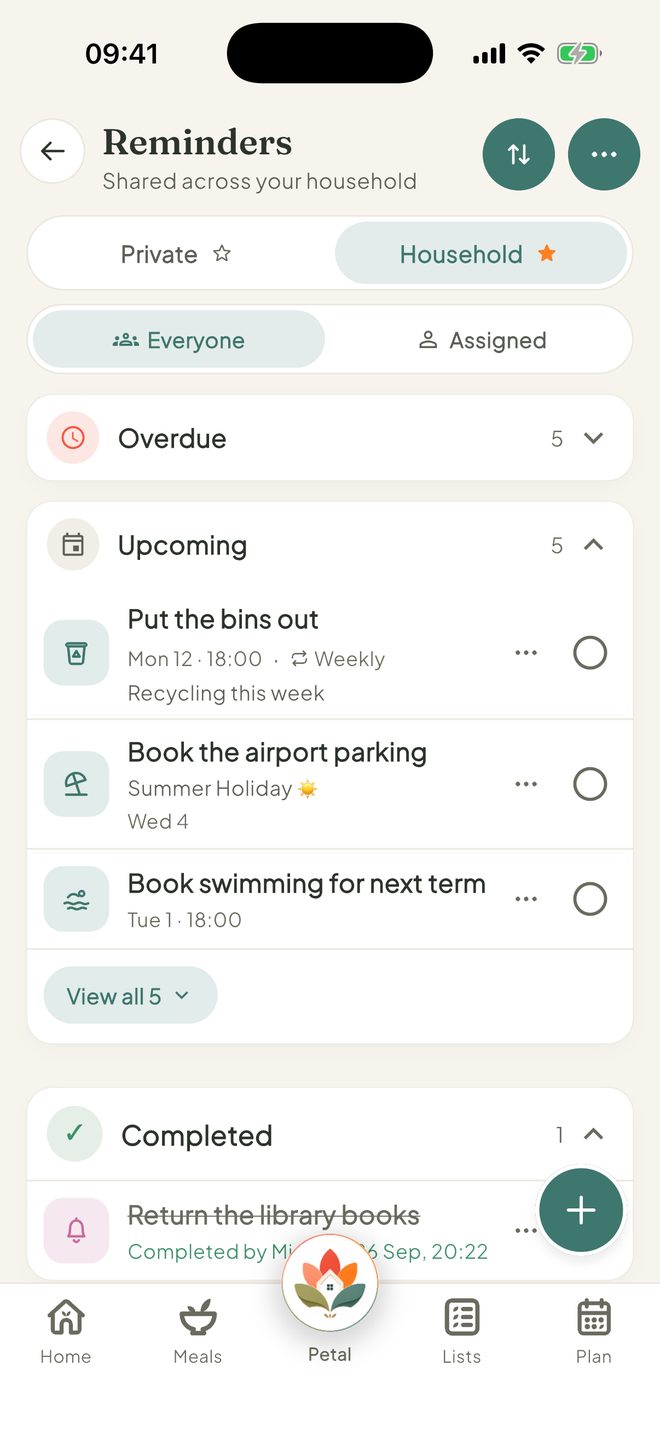
Tap the tick at the top right to save. Reminders sort themselves into Overdue, Today, Upcoming and No date (when sorted by Soonest).
Good to know
- Linking a reminder to a countdown is part of Premium.
- On the Household tab, Assigned shows who has what.
- A repeating reminder you miss doesn't go to Overdue. It says Missed and the day, for example Missed yesterday, in red. One tick clears it, and shows Done today with Undo.
- Only a reminder with a time sends a nudge. A time in the past won't save.
- Only the person who added a reminder, or an admin, can edit or delete it. Any adult can tick a household reminder.
- Can't add or tick household reminders, or can't see Reminders at all? An admin may have set Reminders to View or Hidden for you.
- In the US, bin day is called trash day.
- An empty Reminders page shows a New reminder button, then Repeating ideas (Bins out, Take vitamins) and One-off ideas (Dentist check-up). In the US, one idea is MOT / Car inspection.
Keep going
Still stuck?
Email hello@petalhome.app and we'll help.