 Petal Home
Help centre › Copy a calendar in once
Copy a calendar in once
Copy events from Google, Outlook or the calendar on your phone into Petal Home once. Nothing is ever sent back the other way.
Before you start
Importing calendars is part of Premium, and you need to be able to edit the Plan.
1Step 1 of 3
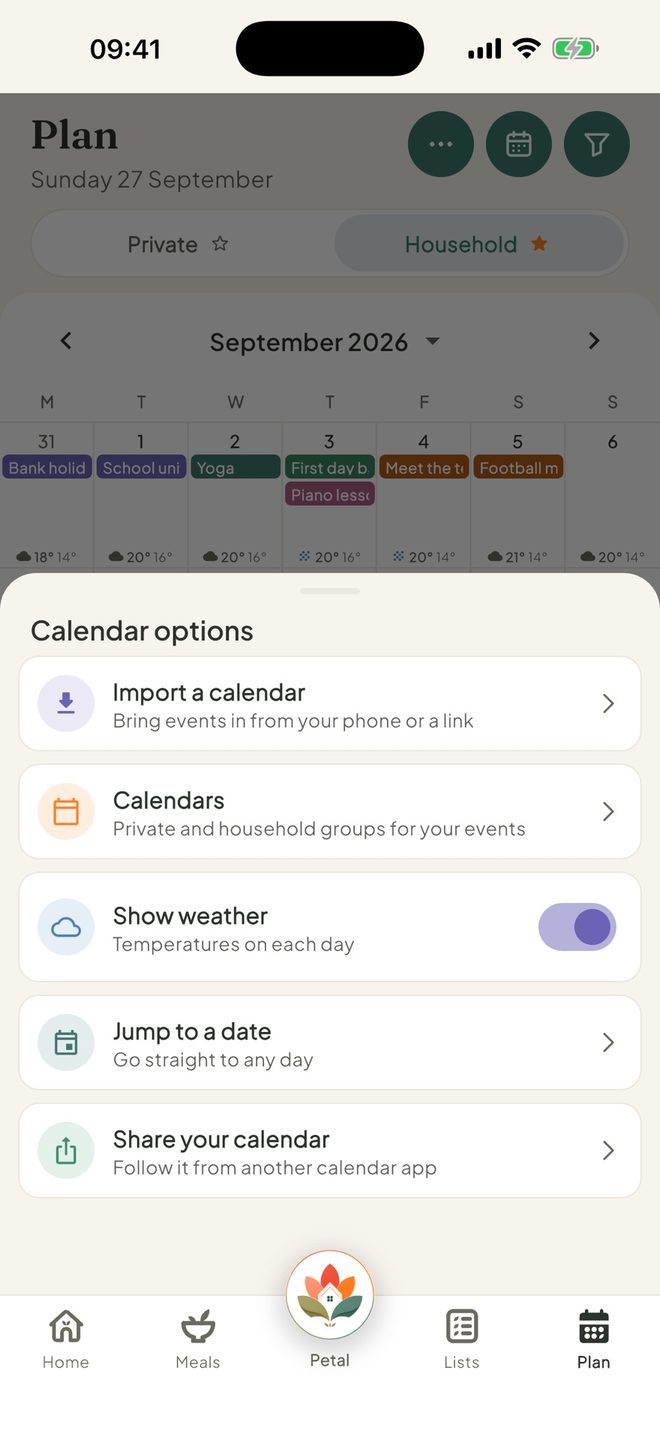
Open Import calendar
Open Plan, tap the round ⋯ button at the top right, then Import a calendar.
2Step 2 of 3
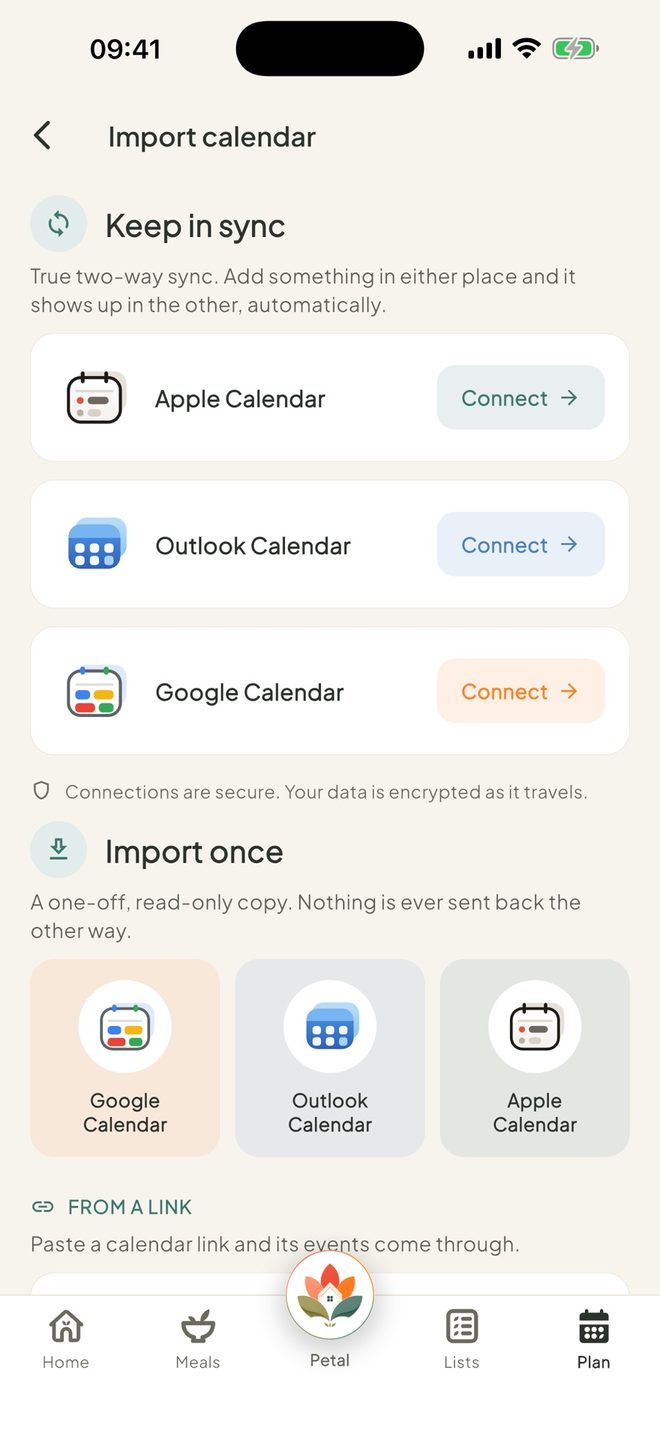
Choose where from
Under Import once, tap Google Calendar or Outlook Calendar. On iPhone, you can also tap Apple Calendar. On Android, tap From this phone. Allow access when your phone asks.
3Step 3 of 3
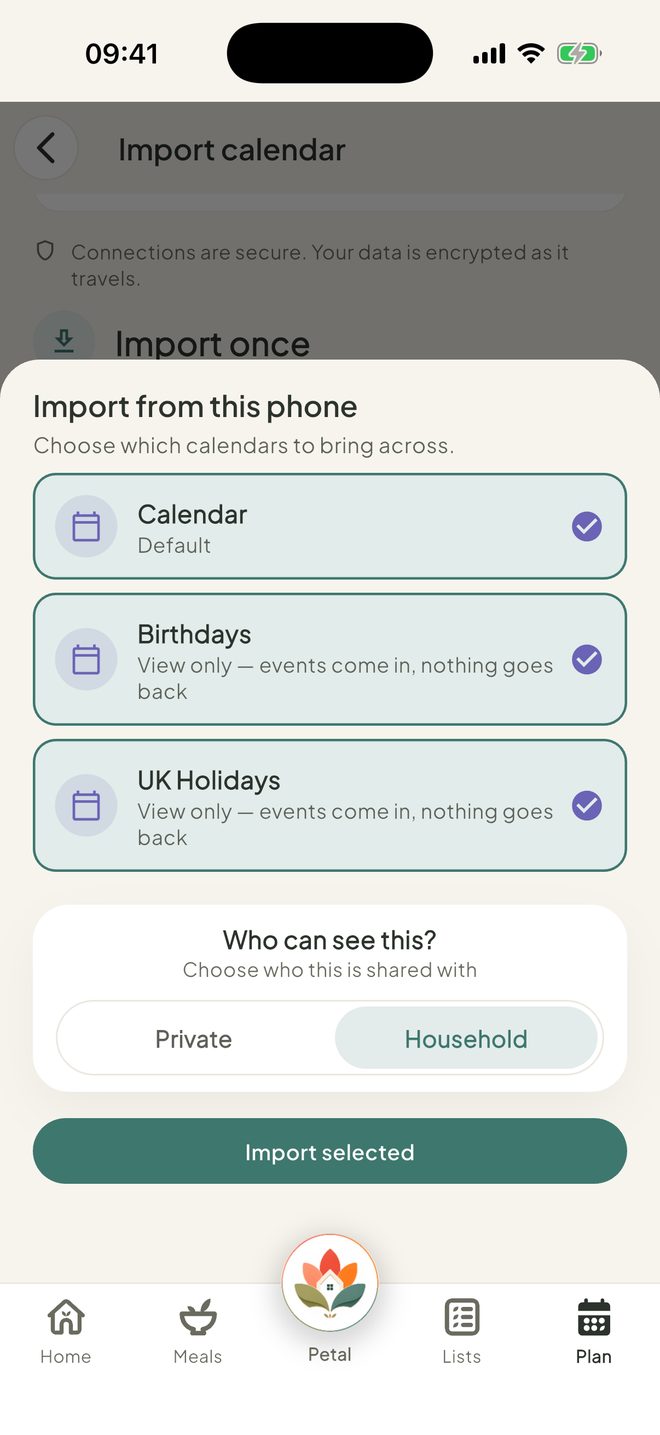
Pick the calendars
Tick the calendars you want, choose Private or Household under Who can see this?, then tap Import selected. A message tells you how many events were added.
Good to know
- Petal Home copies events from a month ago up to a year ahead.
- Repeating events from Google or your phone come in as repeating events. From Outlook, each date comes in separately.
- Calendars that are already syncing show "Already syncing" and are skipped. Apple Calendar is on iPad too.
- Anyone who can edit Plan can choose Household for an import, not only admins.
- To remove an import, find it under Brought in once on Import calendar, tap ⋯, then Remove.
Keep going
Still stuck?
Email hello@petalhome.app and we'll help.