 Petal Home
Help centre › Groceries by shop and aisle
Groceries by shop and aisle
Set up the shops you use, add things as you think of them, and tick them off in the shop.
Open Groceries
Tap the Petal button in the middle of the bottom bar, then Groceries. You can also tap the Groceries card on Home.
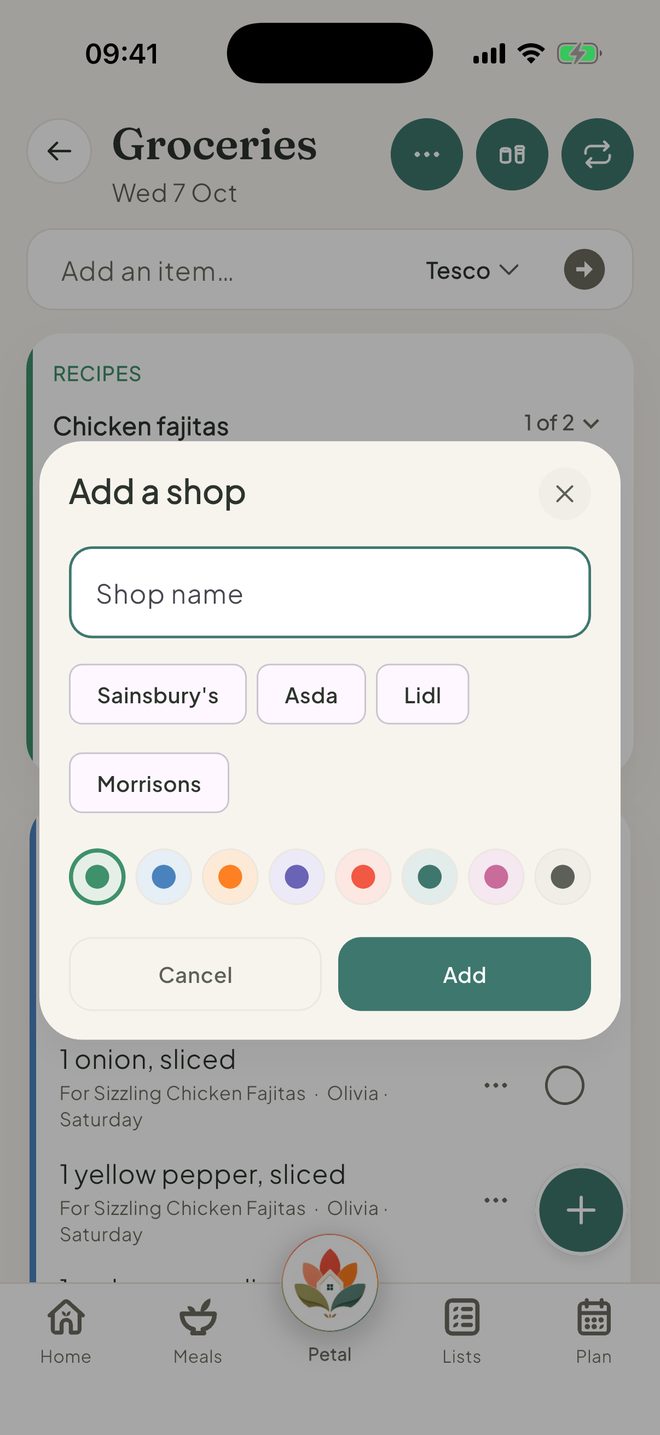
Add your shop
The first time, tap Add a shop and type its name, or choose a suggestion. Add more later from ⋯, then Manage shops.
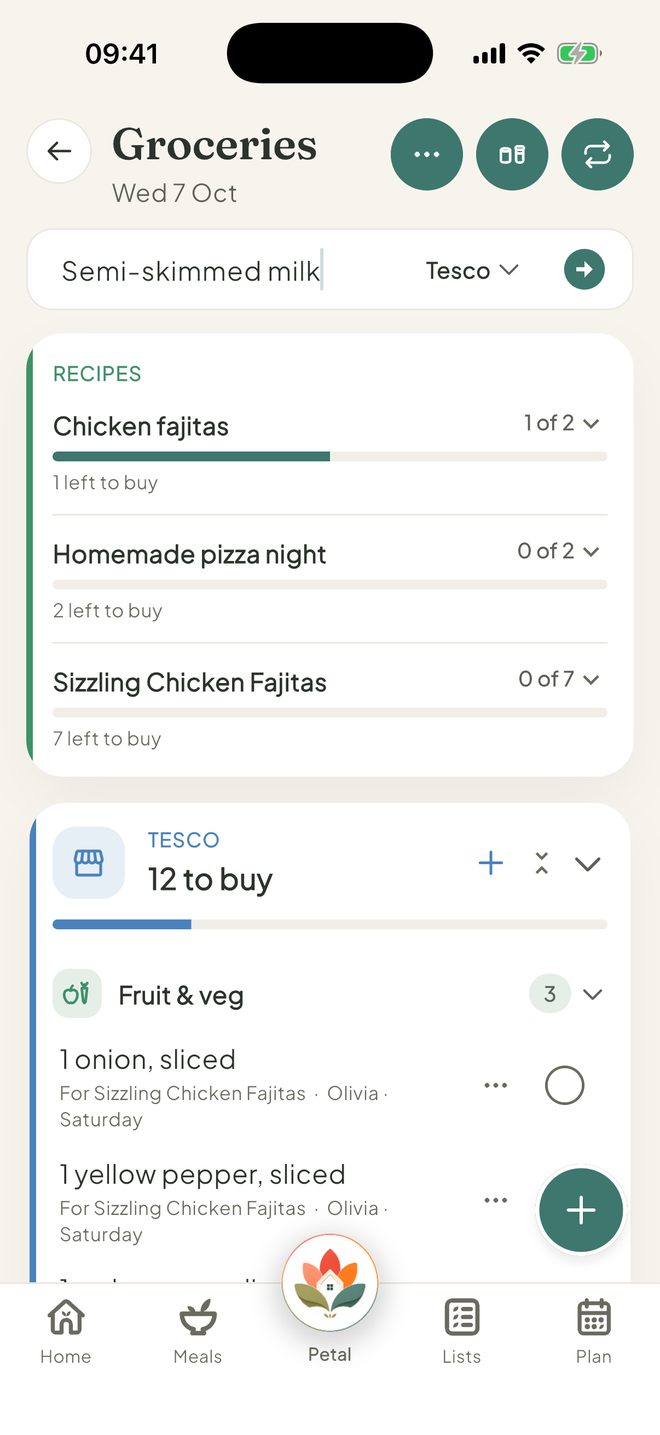
Add things as you think of them
Type in Add an item… and tap the arrow. Tap the shop name beside it to choose the shop. If you want to add more detail, tap + to set a quantity, shop and Category.
Turn on One of your usual items to keep it in your pantry, ready to add again.
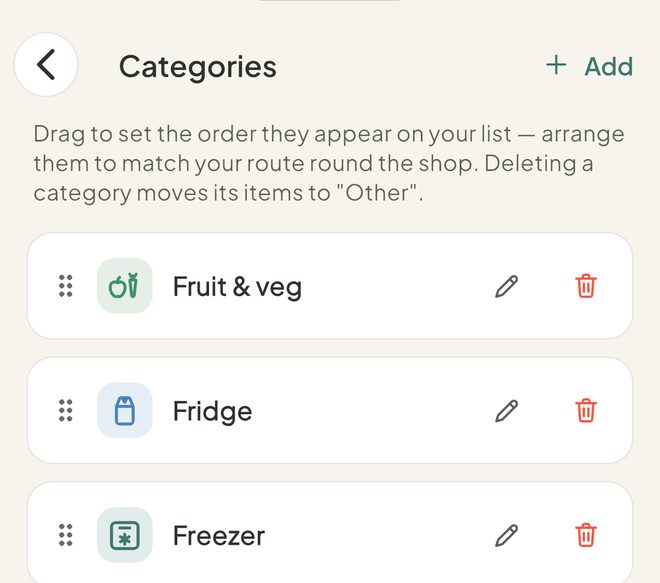
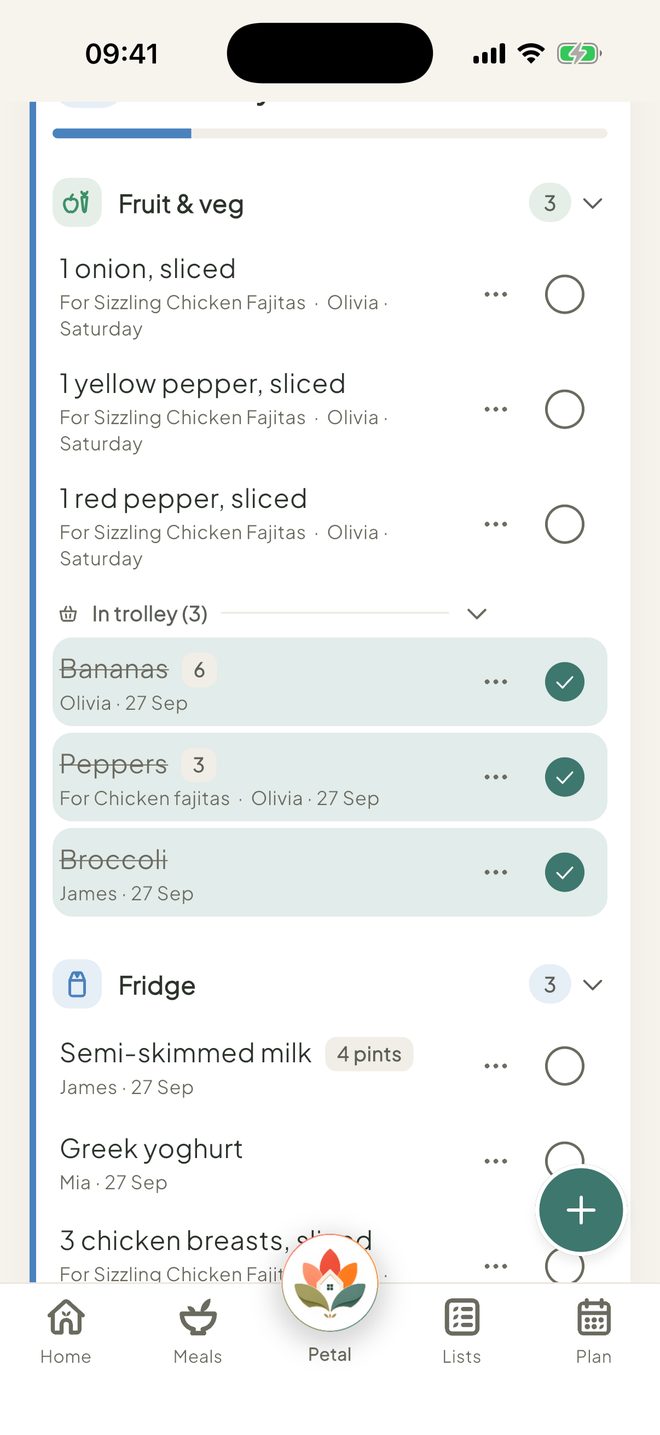
Sort by aisle
Items sit in aisles such as Fruit & veg, Fridge and Freezer. To rename or recolour them, tap ⋯, then Categories.
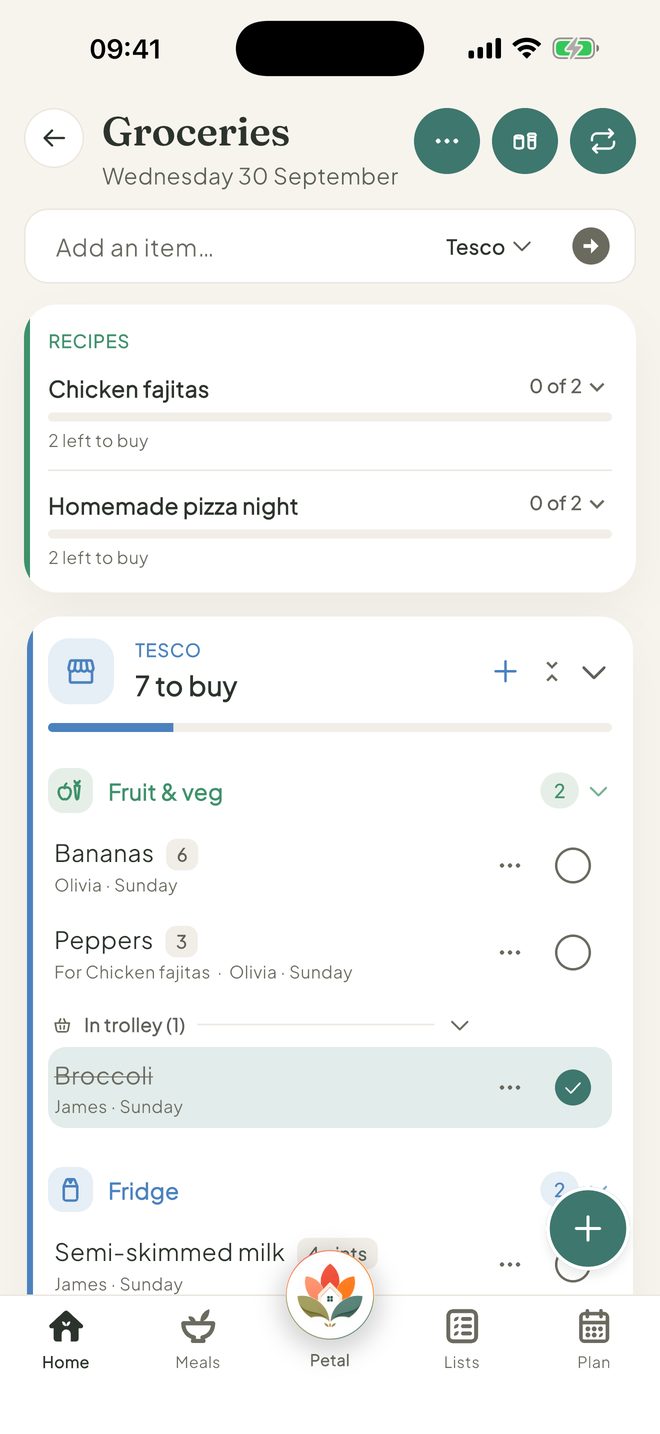
Tick things off
Tap the circle beside an item as it goes in the trolley. It moves to In trolley. When you're done, tap the clear button, for example Clear 3 completed.
Good to know
- On the free version, you can sort by 2 shops. With Premium, there's no shop limit and you can add your own aisles.
- Pantry is a button at the top of Groceries. It keeps your usual items together, so you can add them back in a tap. Next to it, Recently bought shows what you bought before.
- To edit an item, tap it. To move it to another shop, press and hold it. To remove it, swipe left. Clear completed works one shop at a time.
- To rename, recolour, hide or delete a shop, tap ⋯, then Manage shops. Deleting a shop moves its items to No shop.
- Groceries has its own setting. Can't add or tick things? An admin may have set Groceries to View or Hidden for you.
Keep going
Still stuck?
Email hello@petalhome.app and we'll help.